Keystone application · Client relationships

Mercas

An opportunity gets tracked in a corner, a quote is typed in a word processor, a follow-up slips. Mercas ties it all together: your accounts, your opportunities in a pipeline, your quotes with their workflow, all the way to the PDF sent to the client.

Open the application To try it right away, with nothing to install
Download ↓ To keep it on your machine and work on your deals
Getting-started guide ↓ To understand the tool before opening it
Free · No data sent
01
The problem

Tracking deals without a common thread

Deals live in the reps' heads, in spreadsheets, in email threads. No one shares the same view. So follow-ups slip through the cracks and quotes get lost.

  • Opportunities live in spreadsheets no one keeps up to date
  • No shared view of the pipeline or the amounts at stake
  • Quotes are typed by hand, with no template or status tracking
  • Follow-ups rely on memory, so some never happen
  • The history of exchanges with a client is scattered
  • Moving from opportunity to quote happens with no link or traceability
02
How it works

Mercas, screen by screen

Mercas brings the client account, the opportunity, the quote and its tracking together in one place. Each piece links to the next, from first contact to signature.

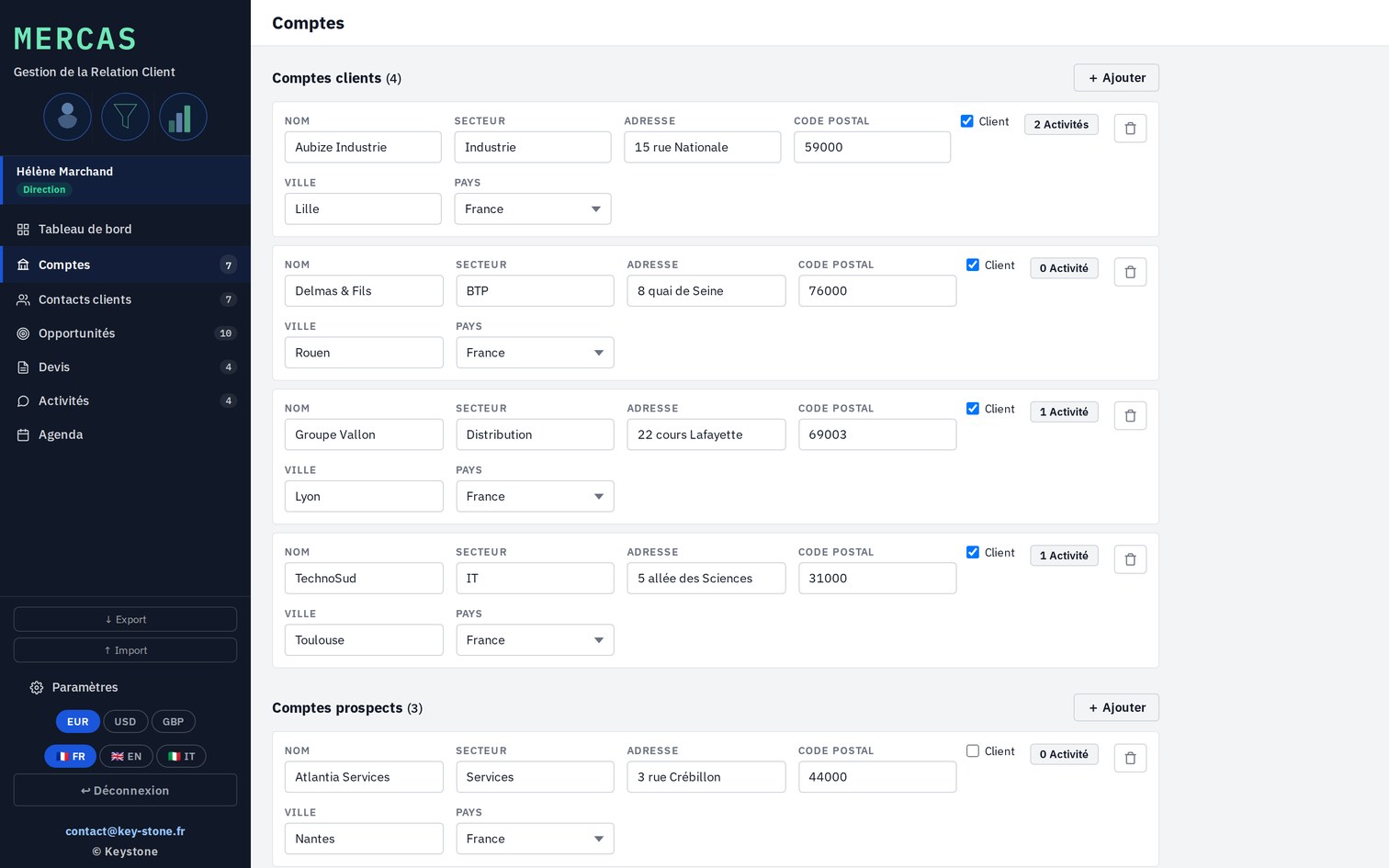
01 · Accounts & contacts

The client at the center

Each client is a record: legal name, full address, contacts. It's the base the opportunities and quotes attach to.

  • Accounts with billing address
  • Several contacts per account
  • Opportunities and quotes linked to the account
key-stone.fr/mercas
Mercas, Accounts screen with the client record
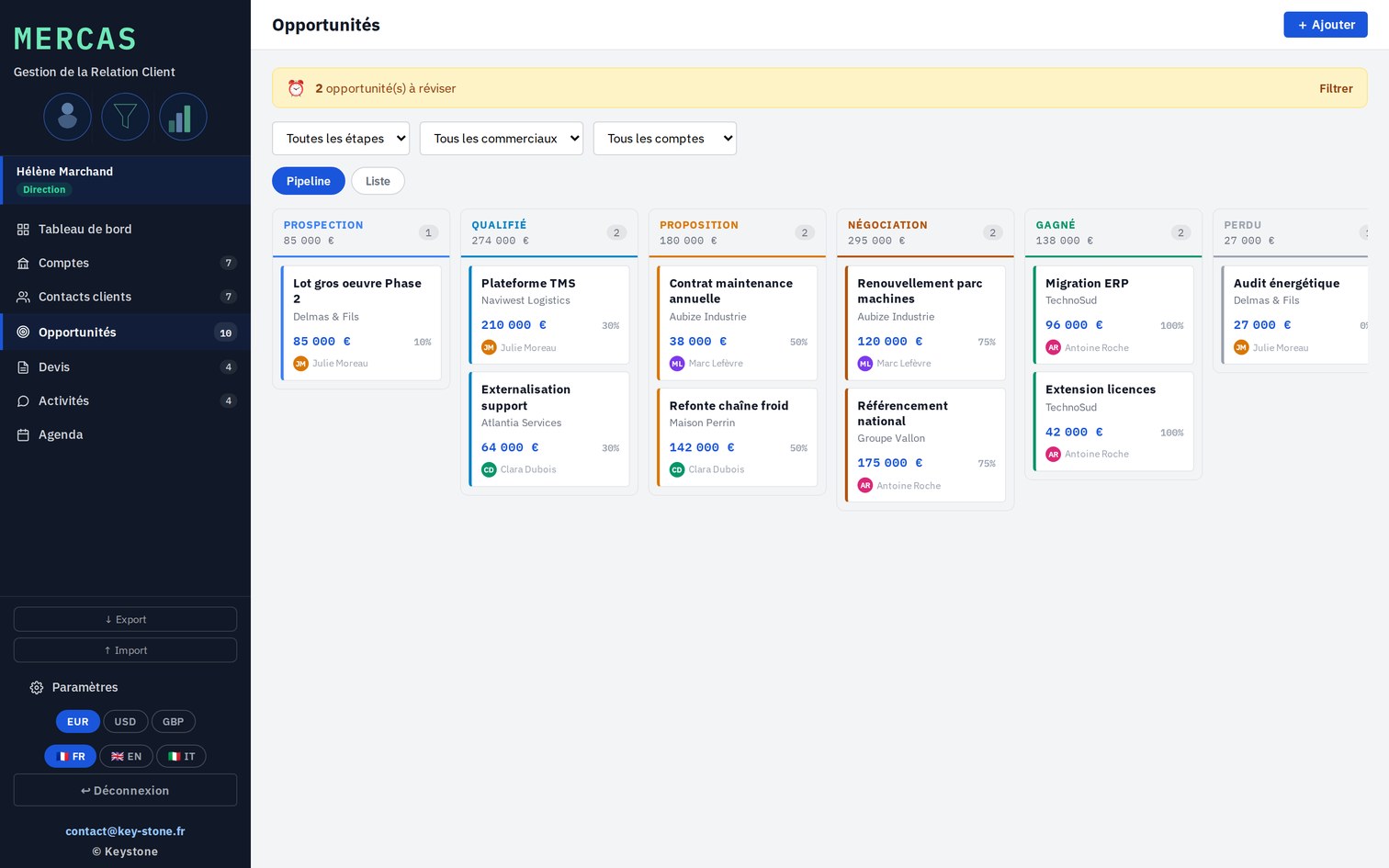
02 · Opportunities

The pipeline at a glance

The pipeline shows where each deal stands, from prospecting to negotiation. Amount, probability, planned follow-up date: it all reads at a glance.

  • Stages from prospecting to won or lost
  • Amount weighted by probability
  • A follow-up date on every opportunity
key-stone.fr/mercas
Mercas, the opportunity pipeline by stage
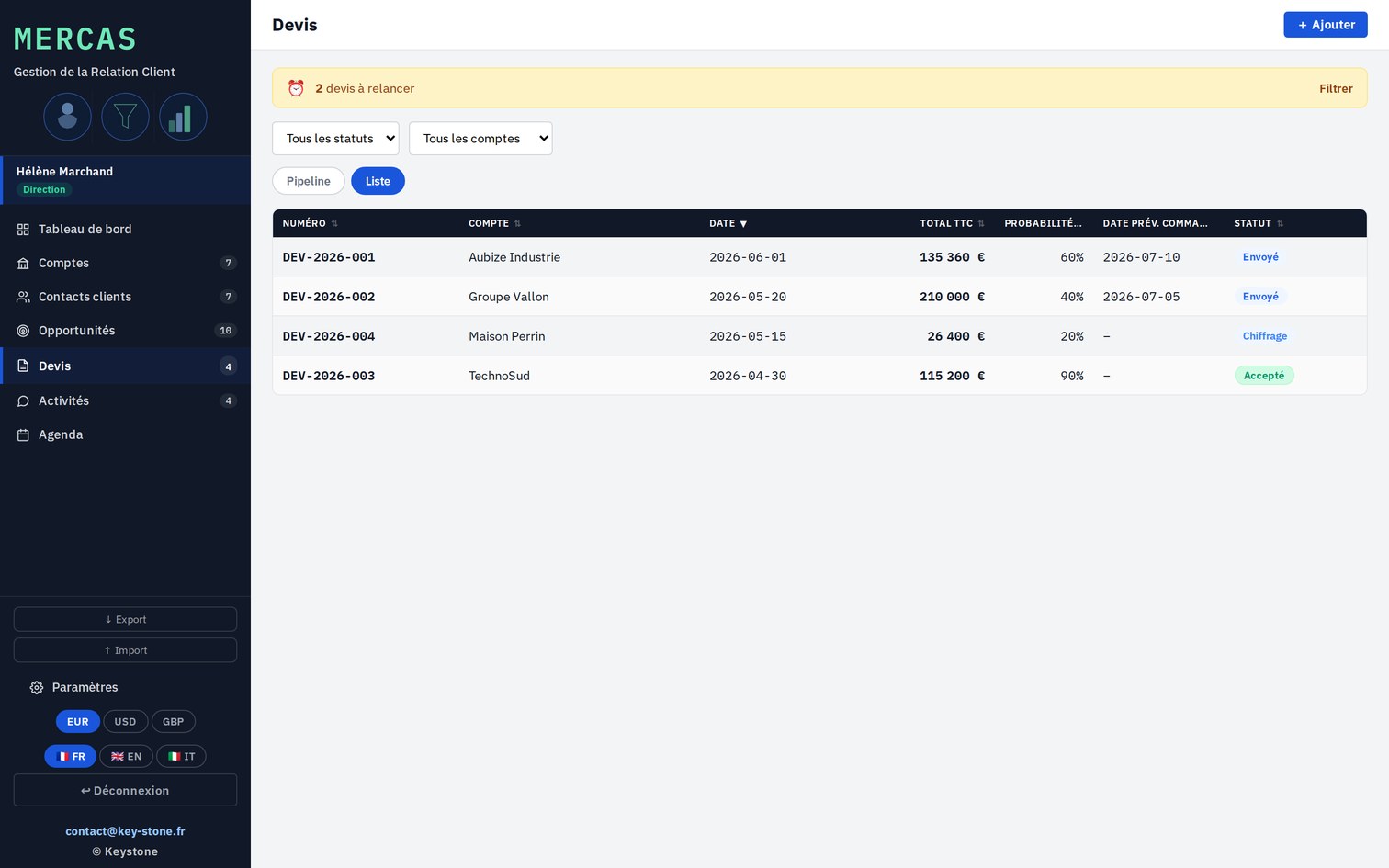
03 · Quotes

Every quote, its status

The list of quotes, with their status and due date. You see what to price, to send, to follow up.

  • Status of each quote, from draft to accepted
  • Validity date and follow-up date
  • Filters by status and by account
key-stone.fr/mercas
Mercas, the quote list with statuses
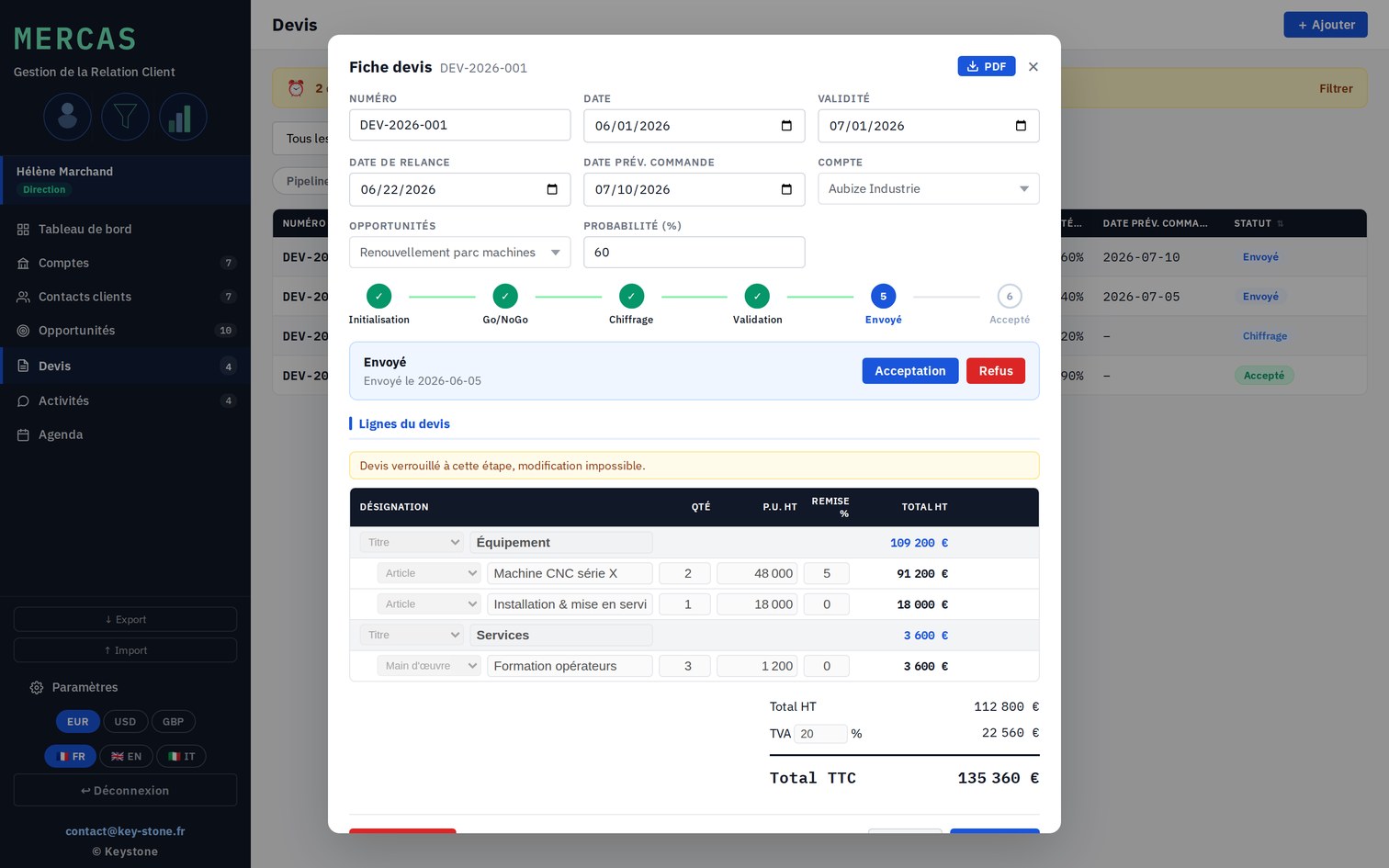
04 · Quote record

The quote and its workflow

The quote is built line by line: description, quantity, price, discount, VAT. It follows a visible workflow, from go/no-go to sending, and locks at every step cleared.

  • Lines, discounts and VAT
  • Workflow: go/no-go, approval, sending
  • Content locked once started
key-stone.fr/mercas
Mercas, the quote record with the workflow strip
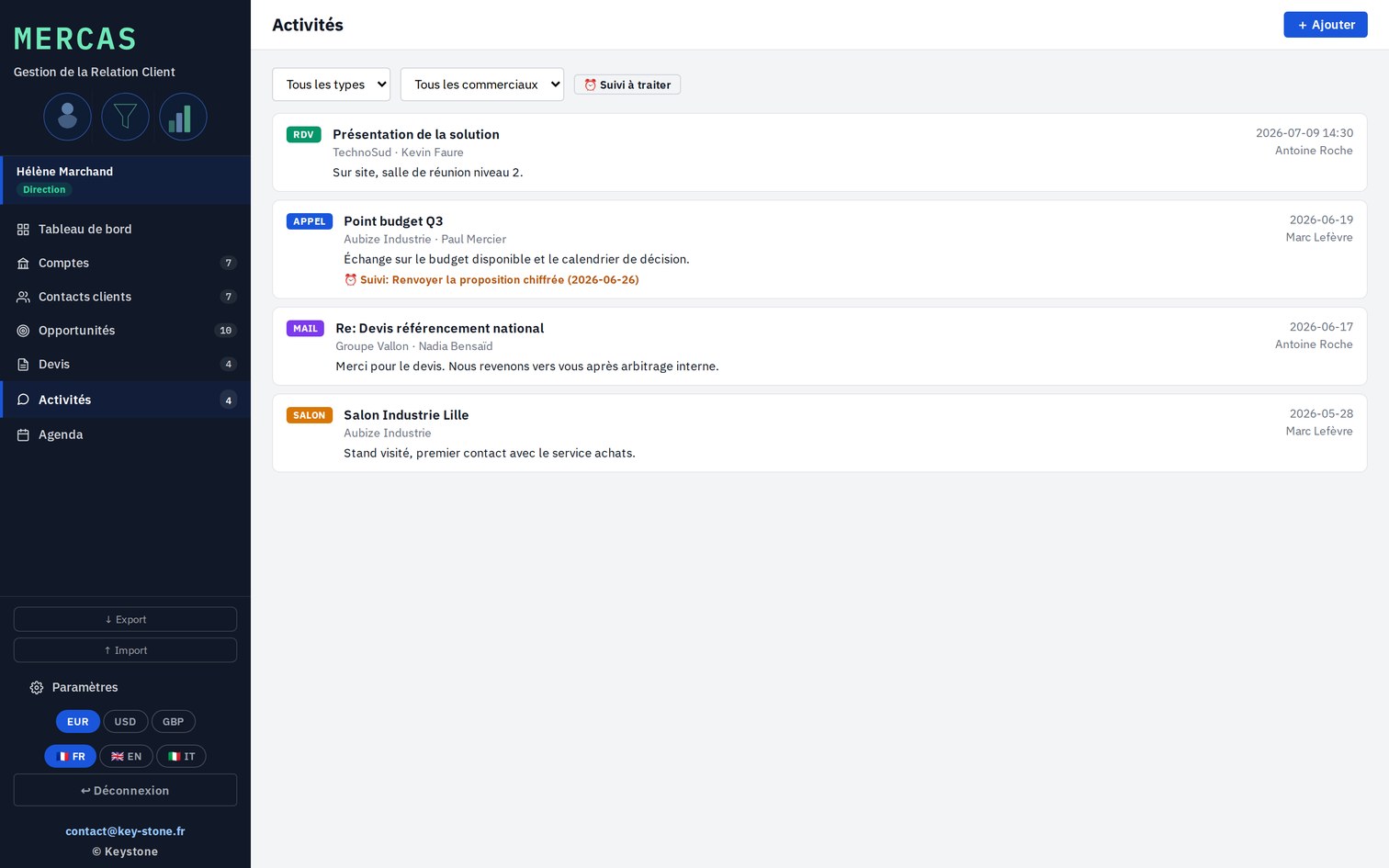
05 · Activities

The history of exchanges

Every call, email or meeting is logged on the account. The history of exchanges stays in view, and follow-up tasks surface.

  • A log of exchanges per account
  • Calls, emails, meetings, tasks
  • Follow-up tasks to handle
key-stone.fr/mercas
Mercas, the activity log per account
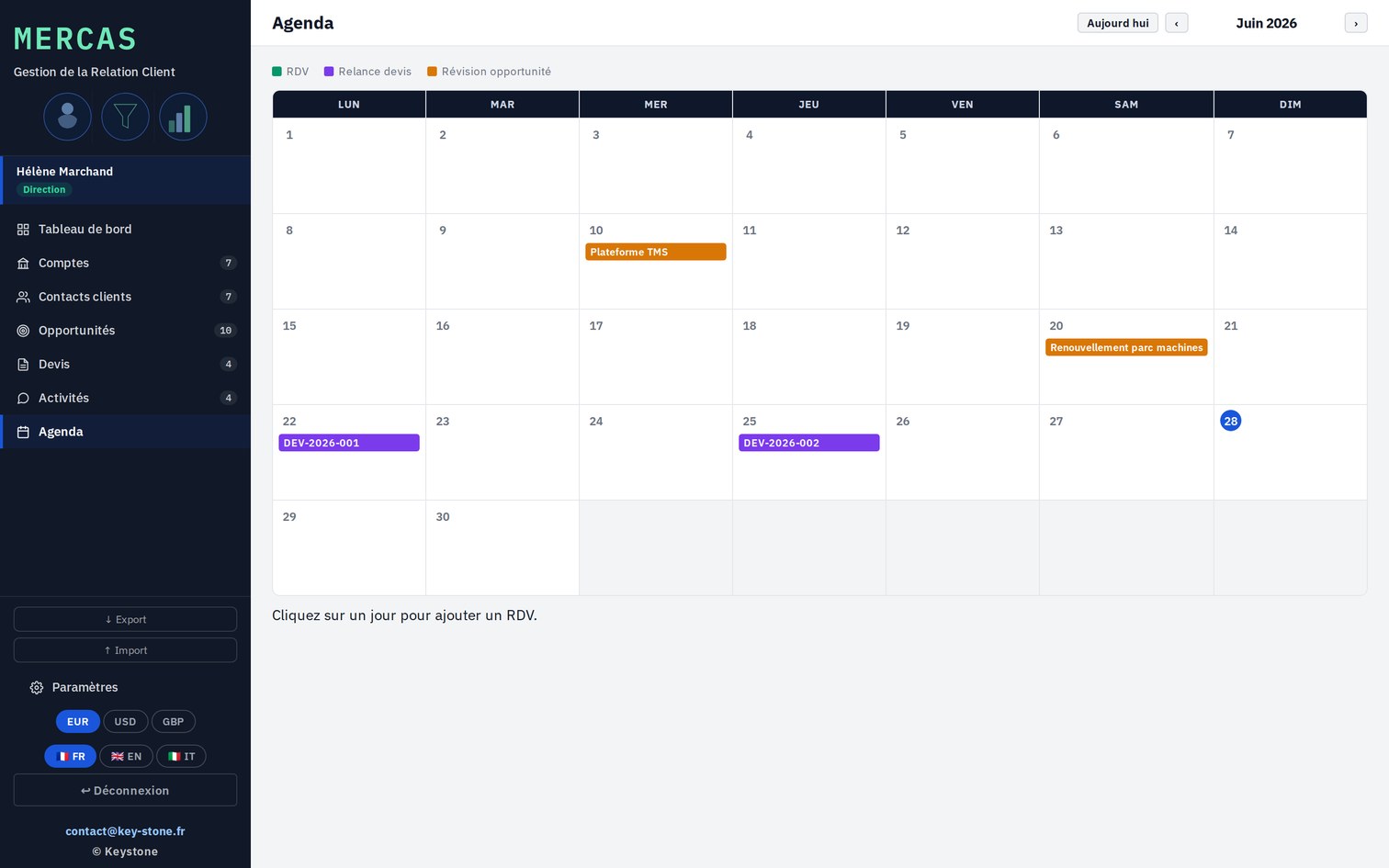
06 · Calendar

Meetings and due dates

Meetings and due dates in a calendar. Quote and opportunity follow-ups surface here.

  • Meetings and due dates
  • Quote and opportunity follow-ups
  • A view of the whole week
key-stone.fr/mercas
Mercas, the calendar of meetings and due dates
07 · Output

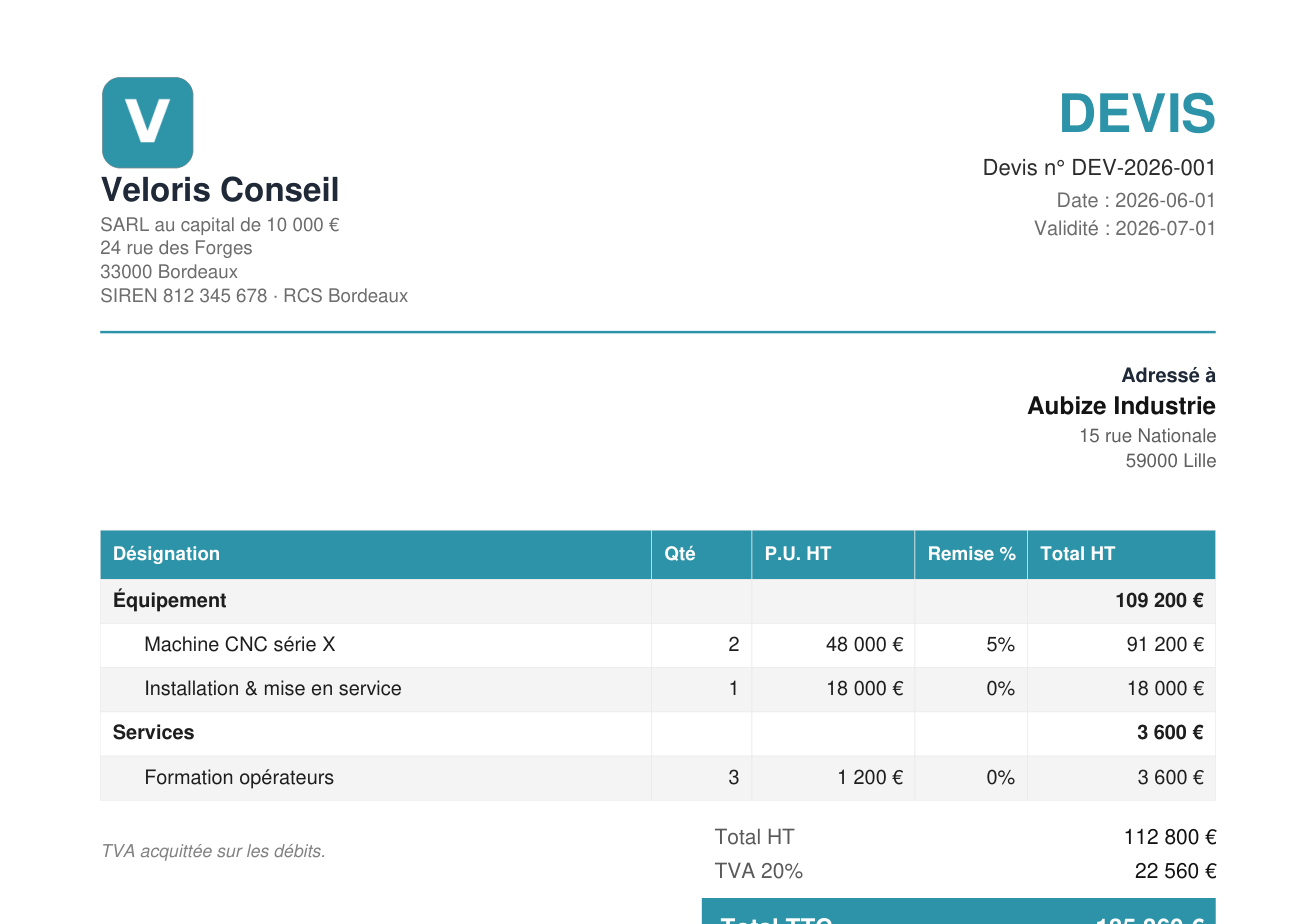
The quote, as a PDF

The quote exports to PDF: your letterhead, the client address, the line detail, the payment terms and the legal notices. A clean document, ready to send.

  • Letterhead and client address
  • Line detail, net total, VAT, gross total
  • Payment terms and legal notices
Mercas, the quote exported as a PDF
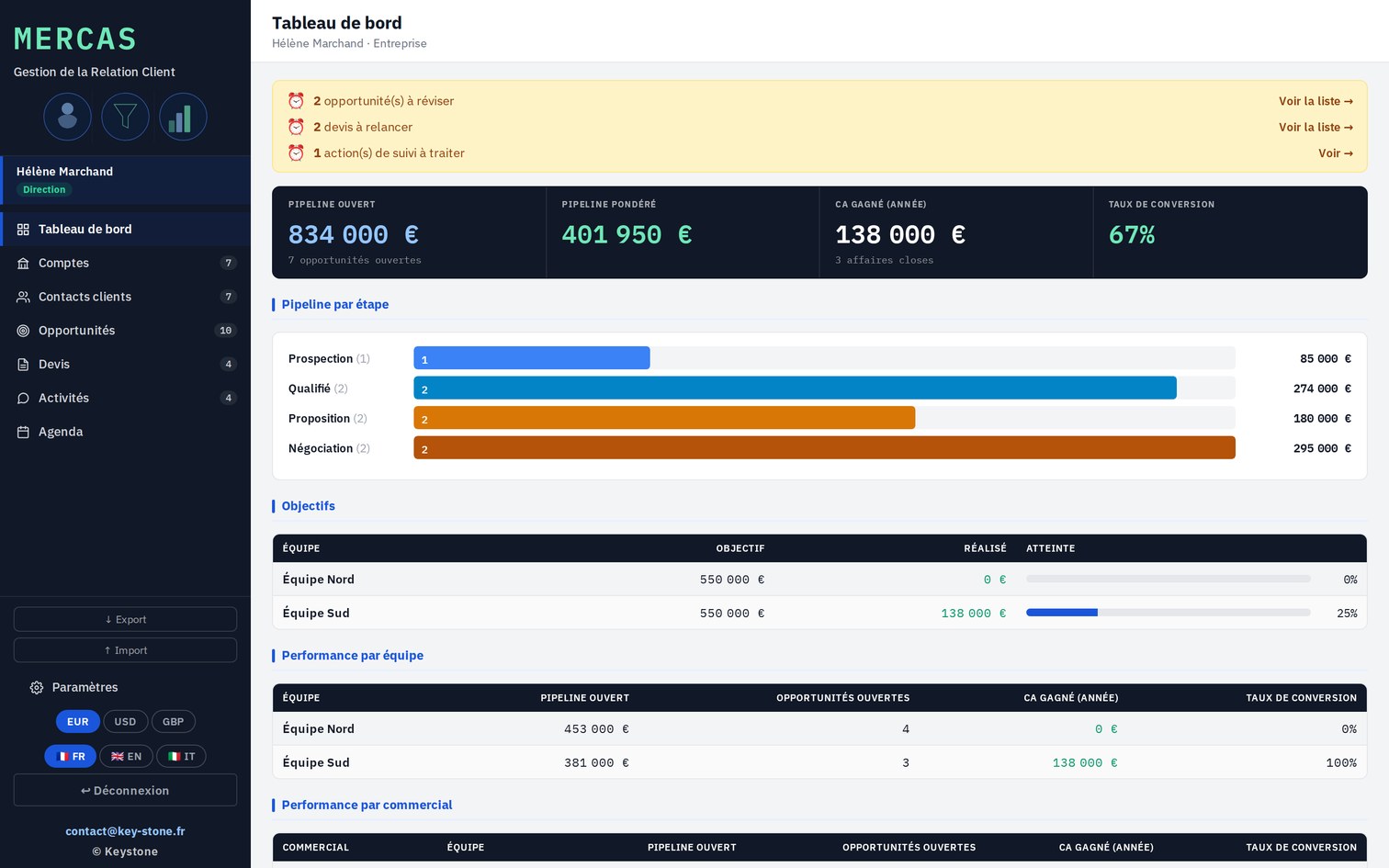
Dashboard. Pipeline, quotes to follow up and won revenue at a glance.
Multi-currency. Euro, dollar and others, per account.
Export and import. JSON to back up or transfer your data.
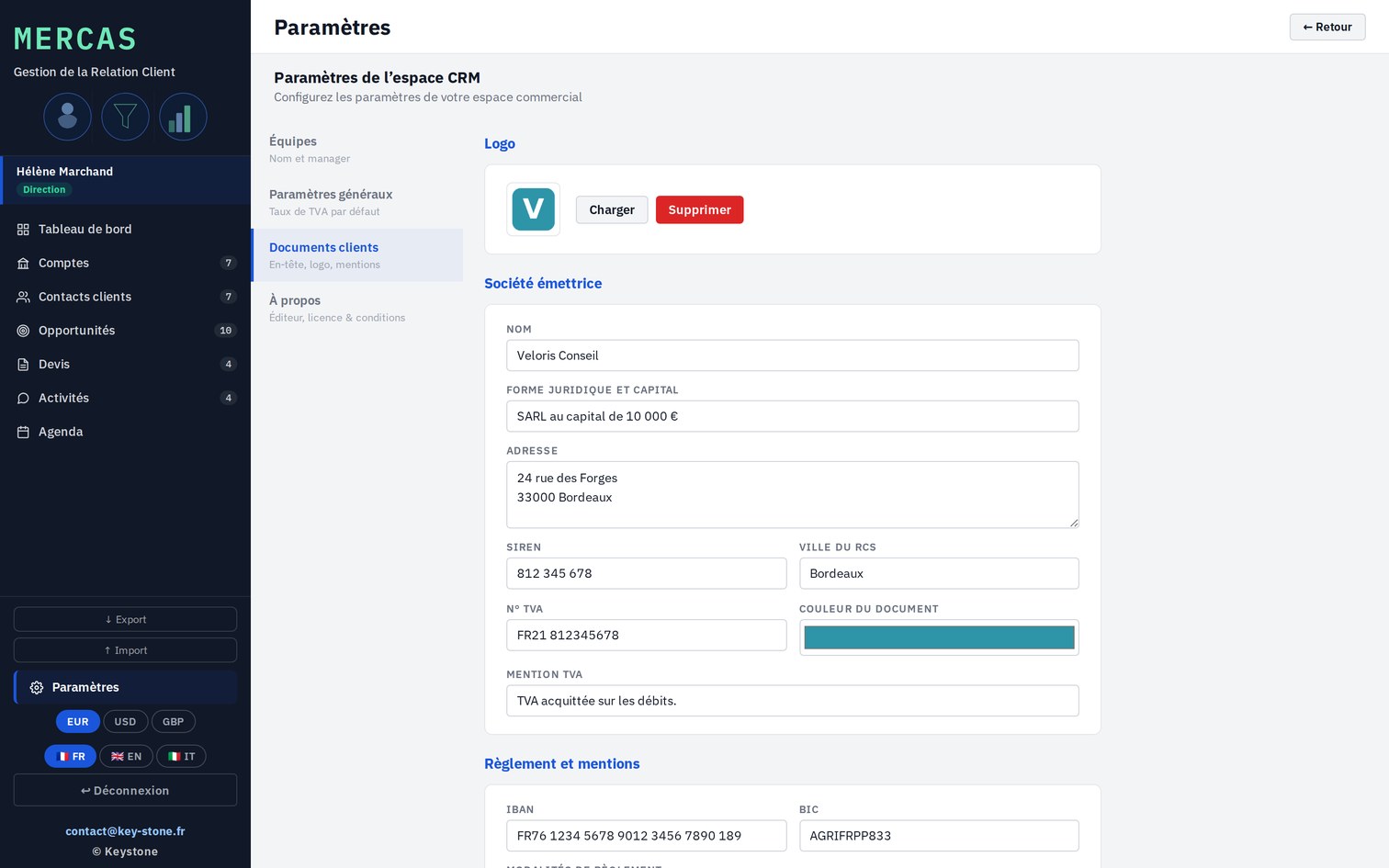
Quote settings. Logo, details, IBAN and notices, once and for all.
03
Roles and steering

From the rep to management

Mercas logs in by role. The rep manages their portfolio, the manager their team's, management sees the whole and sets the tool up.

01 · Three roles

Each their own scope

The rep sees their accounts and quotes, the manager their team's, management the consolidated view. The dashboard adapts its figures to the role logged in.

  • Sales Rep, Manager, Management
  • A scope of its own per role
  • Dashboard by team and by rep
key-stone.fr/mercas
Mercas, the consolidated management dashboard
02 · Setup

The company, once and for all

Management fills in the company identity once: logo, legal form, address, IBAN, legal notices. Every quote inherits them.

  • Company identity and details
  • IBAN, BIC and payment terms
  • Legal notices and VAT number
key-stone.fr/mercas
Mercas, the client-document settings
04
Strengths

Light, self-contained, yours

Free

Local prototype

Try the tool and how it works at no cost, no commitment.

No install

In the browser

One file, no software to install, no account to create.

Privacy

Data stays local

Everything stays in your browser. No data is sent to a server.

Languages

Trilingual

Interface in French, English and Italian.

Output

Quote as PDF

A quote on your letterhead, laid out, ready to send.

Journey

From lead to quote

Accounts, opportunities and quotes linked in one thread.

05
For whom

Those who sell and follow up

Mercas is for those who manage deals and produce quotes, alone or as a team.

Sales repsSales managementSME ownerFreelancer and micro-businessEngineering officeService company
06
Keystone services

The tool is free. Rolling it out is a service.

Trying Mercas locally costs nothing. Adapting it to your offer, your sales stages and your quote templates takes setup and method. That's Keystone's role.

01

Framing the sales process

Define your pipeline stages, your roles and your quote approval flow.

02

Setup

Currencies, quote templates, company identity and notices tuned to your context.

03

Quote templates

Build clean, on-brand standard quotes, ready to reuse.

04

Training

Make your reps self-sufficient on the tool and the tracking method.

05

Sales tracking

Set up pipeline and follow-up steering over time.

06 · Deployment

Mercas on a network

A hosted version where the whole team works on the same base, with no file exchange. Access rights, centralized data, sovereign hosting if needed.

Email Keystone contact@key-stone.fr
Mercas

Try it on a real deal.

Open the tool, look at the sample data, then create an account and a quote. In ten minutes, you have a clean quote, ready to send.