Keystone app · Organization missions

Dorvus

An organization department runs several missions at once, each with its own stakeholders and timeline. Dorvus structures the full cycle: framing, diagnosis, target, workstreams, stakeholders, change management, review. The director receives sponsor requests, turns them into missions and assigns them to mission leads.

Open the app To try it right away, nothing to install
Download ↓To keep it on your machine and work on your missions
Getting-started guide ↓To understand the tool before opening it
Free · No data sent
01
The problem

A scattered mission portfolio

Receiving requests, framing, diagnosing, driving change, measuring adoption then reporting: an organization department does all of this across several missions at once. Without a dedicated tool, the portfolio becomes impossible to read.

  • Sponsor requests arrive by email, with no queue and no traceability
  • Each mission lives in its own files, separate from the portfolio
  • Progress and workload, days sold and spent, are tracked in side spreadsheets
  • Change management comes down to slides, adoption is never measured
  • No one has the overview: which missions, at what stage, for which sponsor
02
How it works

From framing to review

Dorvus gives the portfolio a single frame. The director turns requests into missions and assigns them. Each mission runs its seven steps, from framing to review, and the dashboard tracks the whole.

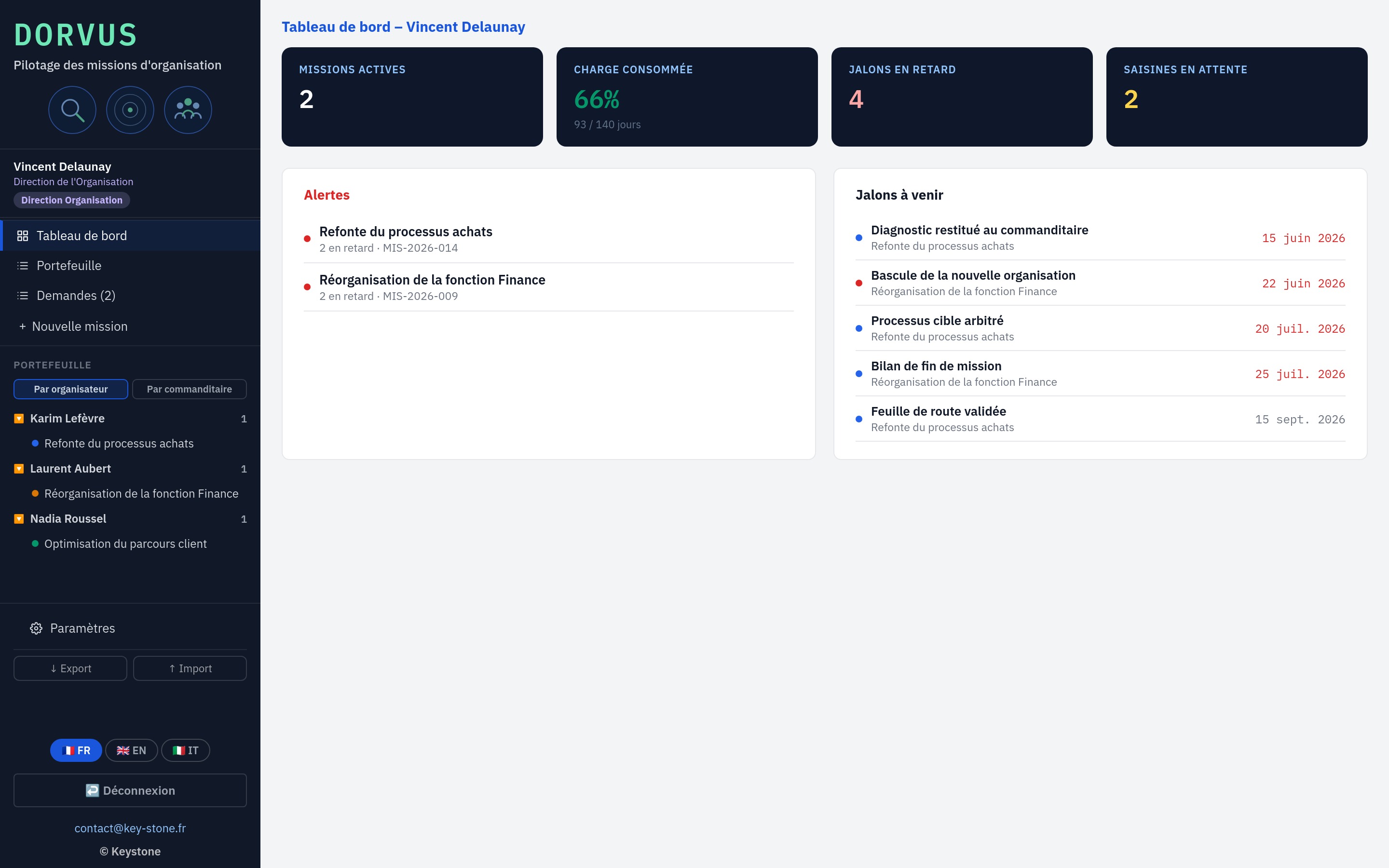
01 · Dashboard

Steer the portfolio at a glance

The dashboard brings together the essentials: active missions, workload spent, overdue milestones and pending requests. Alerts and upcoming milestones rise to the top.

  • Active missions, workload, overdue milestones, requests
  • Alerts on at-risk missions
  • Upcoming milestones, dated
key-stone.fr/dorvus
Steer the portfolio at a glance
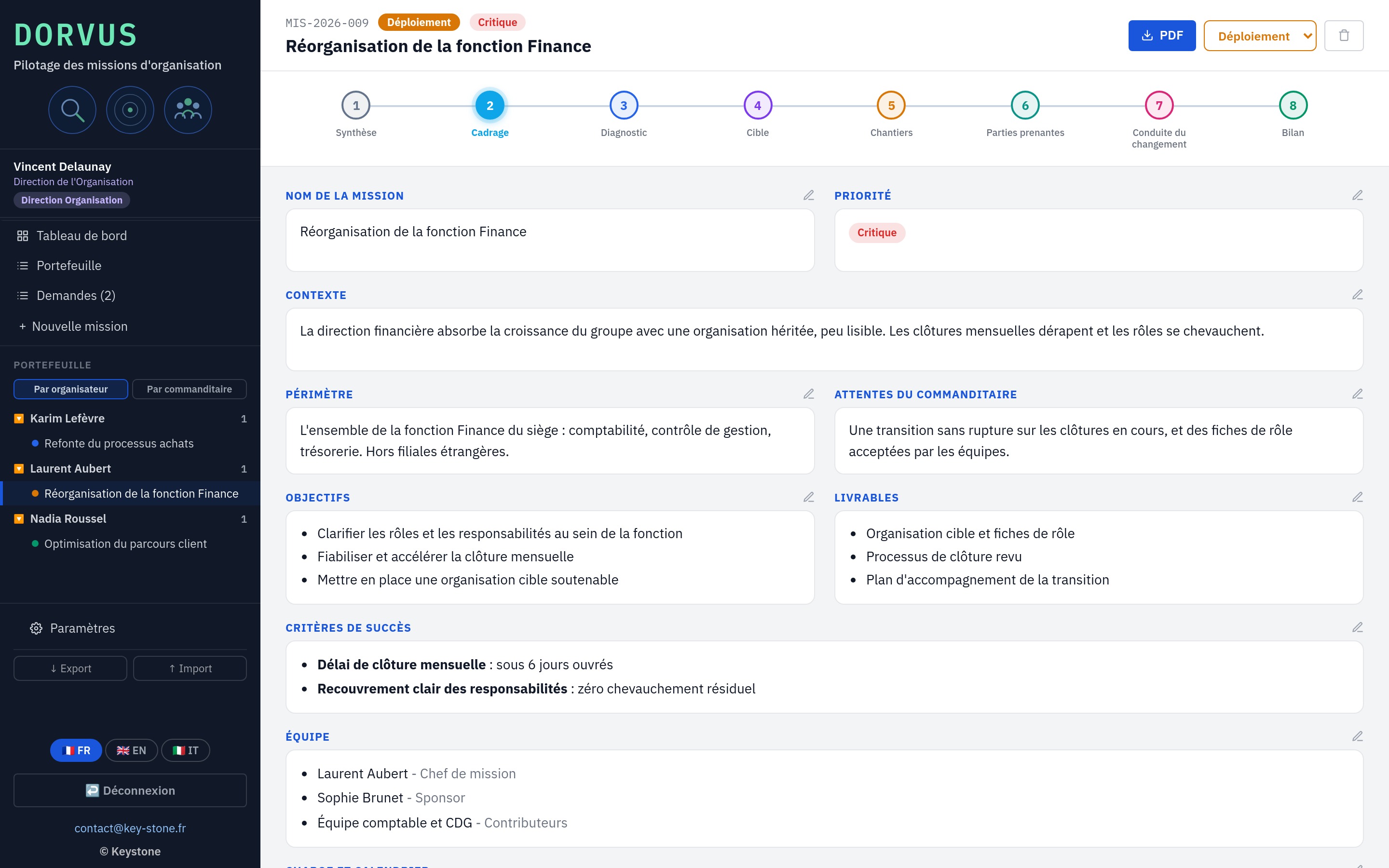
02 · Framing

Frame each mission

Framing sets the context, scope, objectives and deliverables, success criteria, team and workload. Each block is edited on its own, one click on its pencil.

  • Context, scope, objectives, deliverables
  • Measurable success criteria
  • Team, days sold and spent
key-stone.fr/dorvus
Frame each mission
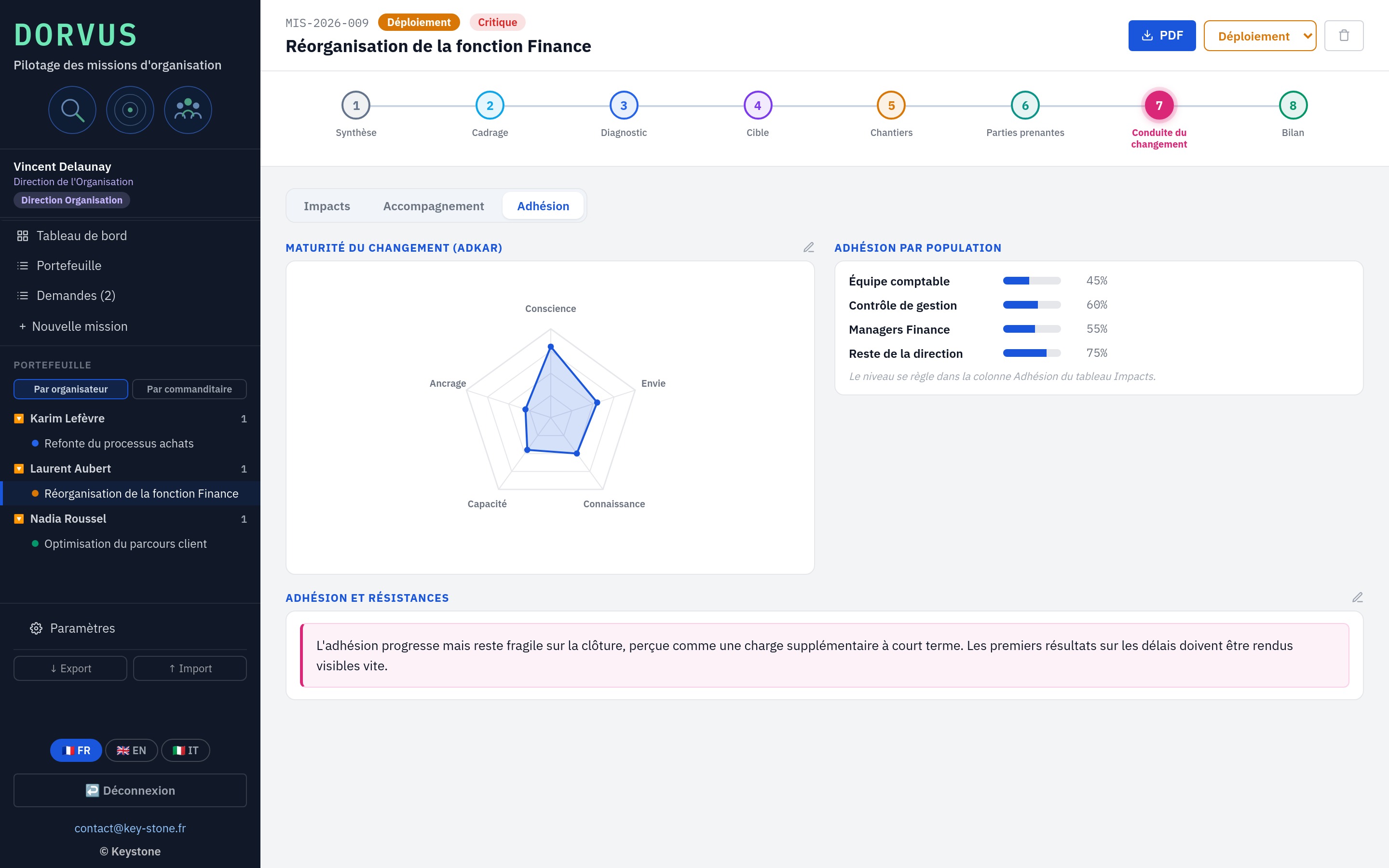
03 · Change management

Measure adoption, not just delivery

The change-management step crosses three views: impacts by group, the support plan, and an ADKAR maturity radar. Adoption is tracked group by group.

  • Impacts by group and magnitude
  • Support plan: communication, training, coaching
  • ADKAR radar and adoption by group
key-stone.fr/dorvus
Measure adoption, not just delivery
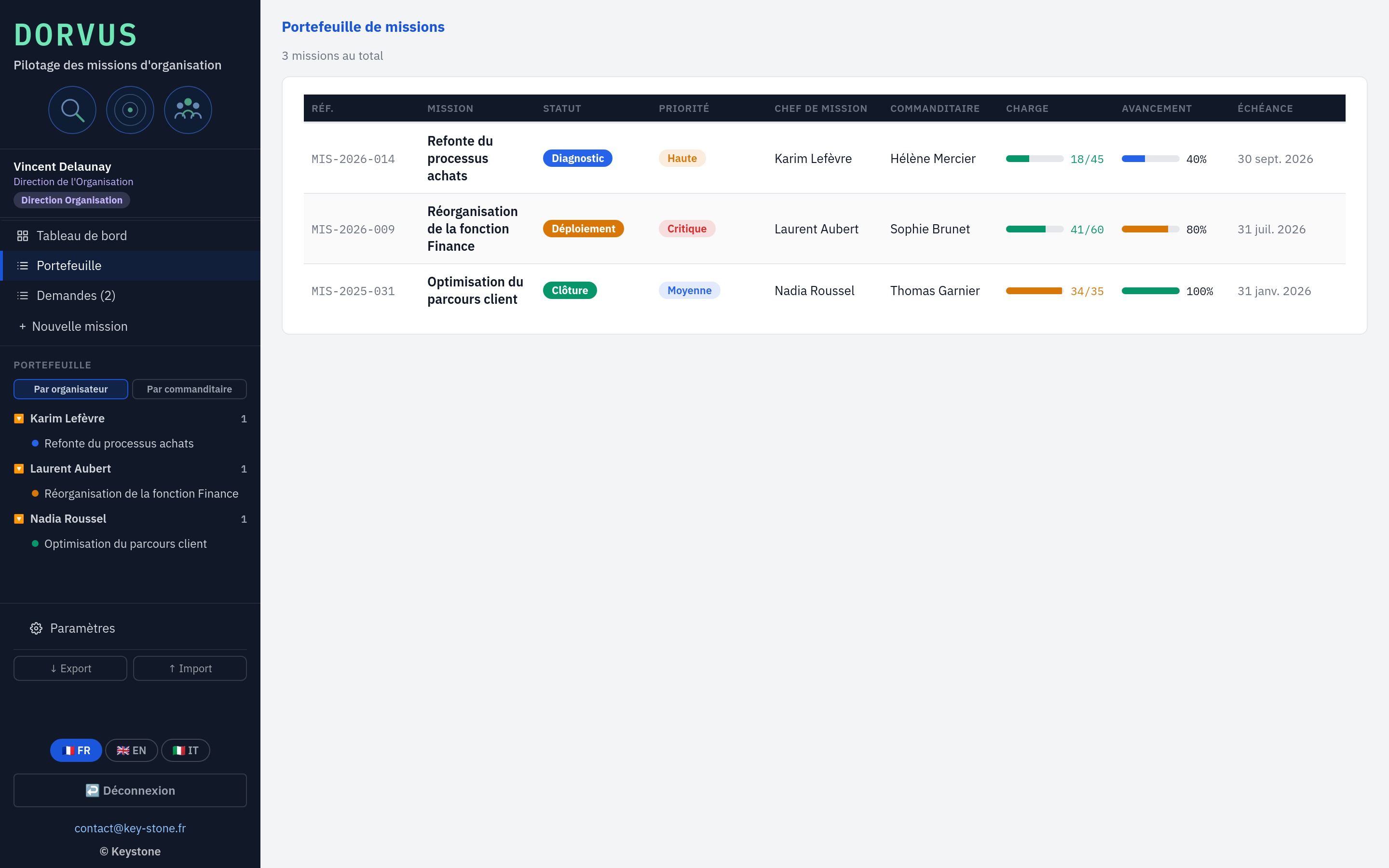
04 · Portfolio

The portfolio, by organizer or by sponsor

The portfolio reads as a table or a collapsible tree, grouped by mission lead or by sponsor. Status, priority, workload and progress at a glance.

  • Table and collapsible tree
  • Grouped by organizer or by sponsor
  • Status, priority, workload, due date
key-stone.fr/dorvus
The portfolio, by organizer or by sponsor
05 · Reporting

The mission as a PDF

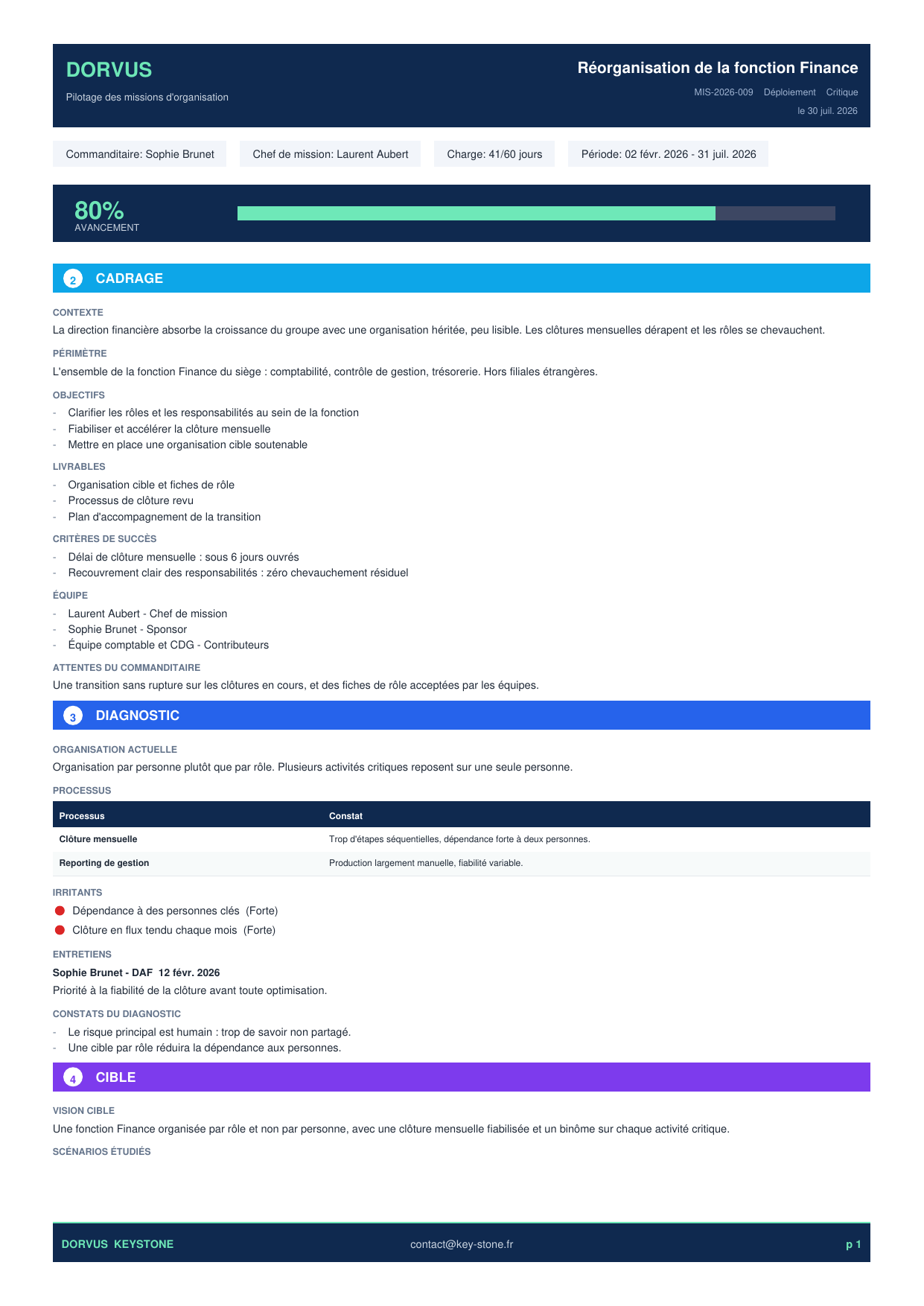
Each mission exports to PDF: framing, diagnosis, target, workstreams, stakeholders, change management and review, laid out and ready to share with the sponsor.

  • PDF export of the full mission
  • The seven steps laid out
  • Ready to share and archive
The mission as a PDF
Seven steps. Framing, diagnosis, target, workstreams, stakeholders, change management, review.
ADKAR radar. Awareness, desire, knowledge, ability, reinforcement, scored and plotted on a radar.
Qualified requests. Sponsor requests become assigned missions.
Export and import. Save and reload the portfolio across machines, in JSON.
03
The three roles

From sponsor to organization director

A mission is born from a business need. The sponsor expresses it, the organization director turns it into a mission and assigns it, the mission lead runs it. Each sees what concerns them.

01 · Organization director

Receive requests, create and assign

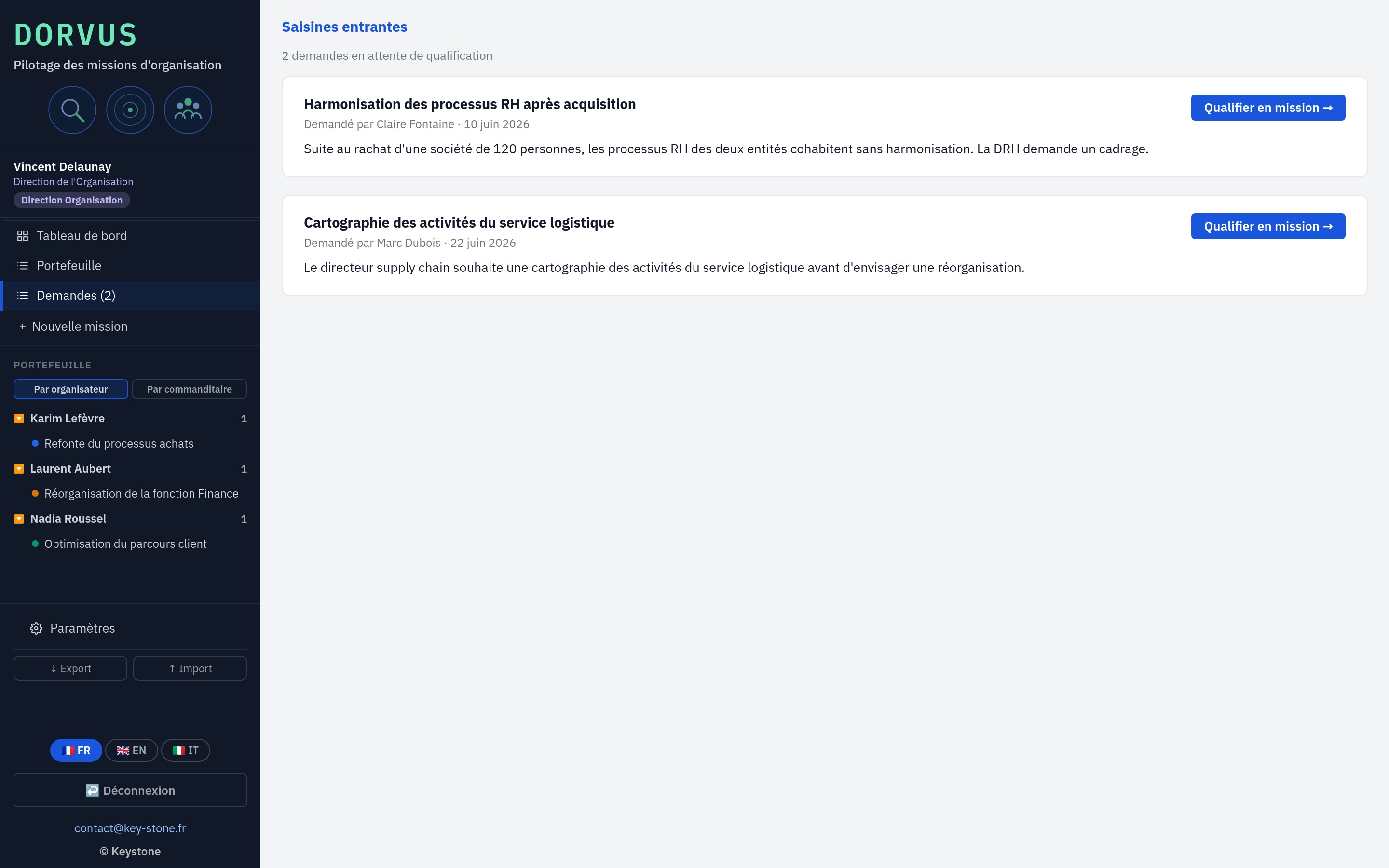
The director receives sponsor requests, turns them into missions, assigns them to a mission lead and keeps the steering view over the whole portfolio.

  • Queue of requests to qualify
  • Creating and assigning missions
  • Steering view over the portfolio
key-stone.fr/dorvus
Receive requests, create and assign
02 · Mission lead

Run the mission, step by step

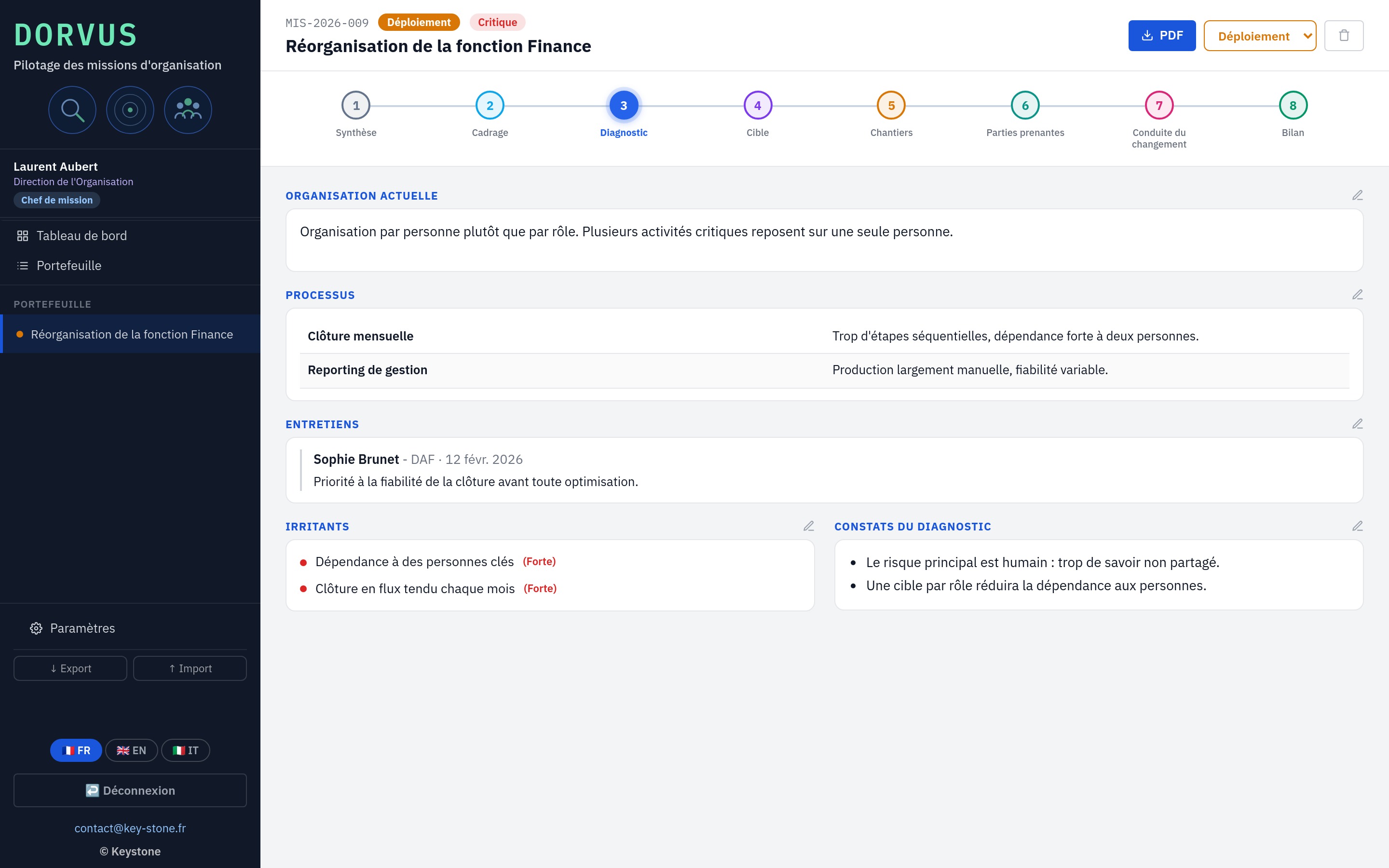
The mission lead runs the missions assigned to them: they fill in each step, from diagnosis to review. They do not create missions, they move them forward.

  • Assigned missions, no creation
  • Filling in each step
  • Diagnosis, target, workstreams, review
key-stone.fr/dorvus
Run the mission, step by step
03 · Sponsor

Express a need, follow the mission

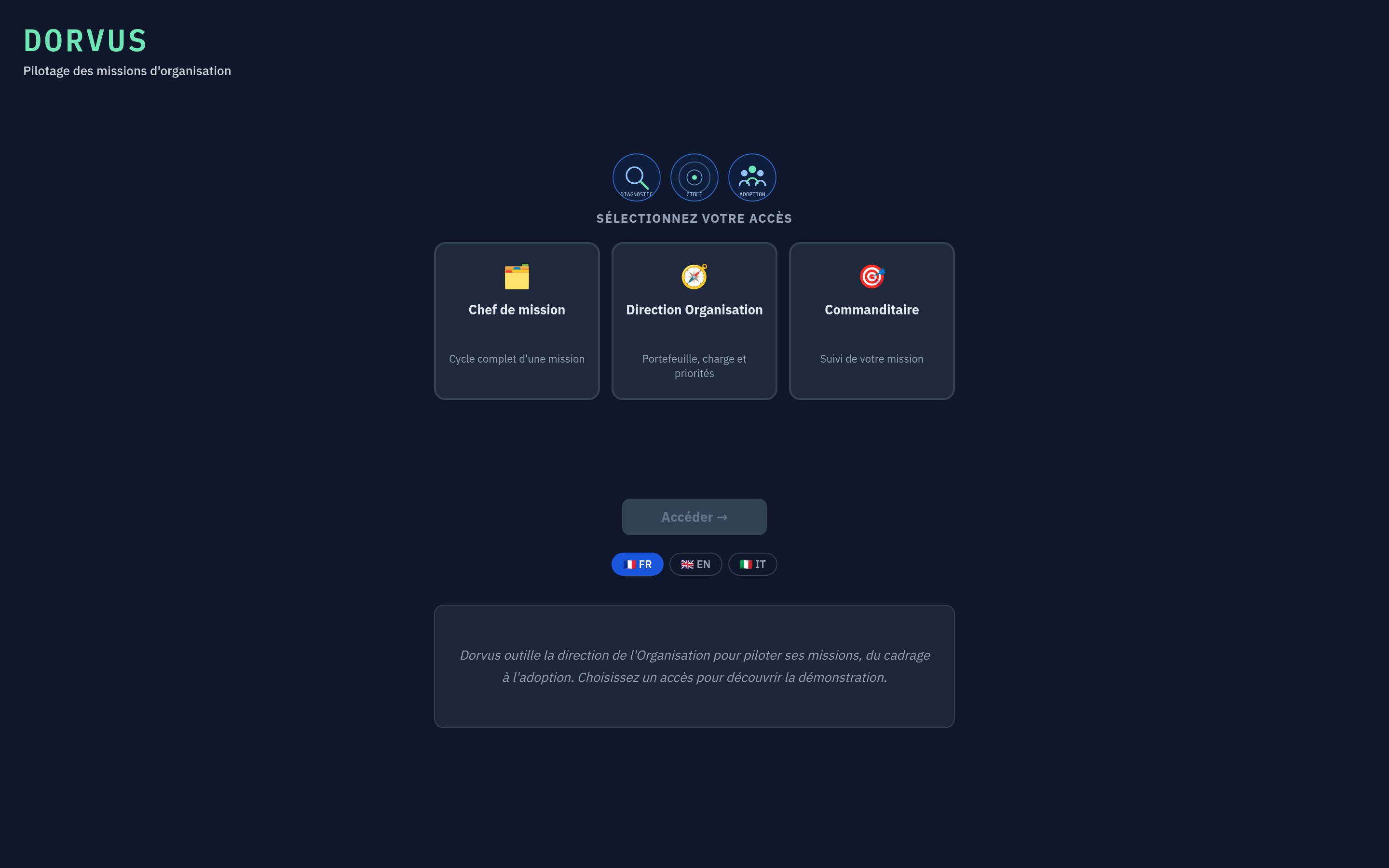
The business sponsor is the origin of the mission. They send their request to the organization director, then follow the progress of the mission that concerns them.

  • Three separate accesses at login
  • Request sent to the director
  • Follow-up of their mission
key-stone.fr/dorvus
Express a need, follow the mission
04
Strengths

Light, standalone, yours

Free

Local prototype

Discover the tool and how it works at no cost, no commitment.

No install

In the browser

One file, no software to install, no account to create.

Privacy

Data stays local

Everything stays in your browser. No data is sent to a server.

Languages

Trilingual

Interface in French, English and Italian.

Reporting

PDF export

The full mission, laid out, ready to share with the sponsor.

Cycle

Seven steps

Each mission follows a clear cycle, from framing to review.

05
Who it is for

Those who steer the organization

Dorvus is for those who run transformation and organization missions.

Organization departmentOrganization consultantTransformation project leadExecutive team, sponsorBusiness department, sponsorFirm and consultant
06
Keystone services

The tool is free. Rolling it out is a service.

Discovering Dorvus locally costs nothing. Adapting it to your departments, your mission steps and your request channels takes support. That is Keystone's role.

01

Framing the approach

Define the roles, the sponsors and the mission life cycle.

02

Setup

Collaborators, departments, reporting lines and priorities set on your organization.

03

Mission method

Structure the steps, from framing to review, against your practice.

04

Training

Make your teams autonomous on the tool and on running missions.

05

Change management

Set up adoption measurement and the support plan over time.

06 · Deployment

Dorvus in network mode

A hosted version where the director, the mission leads and the sponsors work on the same base, with no file exchange. Access rights, centralized data, sovereign hosting if needed.

Write to Keystone contact@key-stone.fr
Dorvus

Try it on your portfolio.

Open the tool, browse the example missions, then replace them with your own. In a few minutes, you steer your portfolio end to end.