Keystone application · Objective steering

Cresco

Objectives get set in January and reopened in December. In between, not much. Cresco structures the cycle: leadership sets the course, the manager proposes, the employee accepts and tracks progress, the manager validates. All year round.

Open the application To try it right away, with nothing to install
Download ↓To keep it on your machine and track your objectives
Getting-started guide ↓To understand the tool before opening it
Free · No data sent
01
The problem

Steering objectives without a shared frame

Objectives are set once, in a spreadsheet or an email, then forgotten. No one really tracks progress. Come review time, it gets reconstructed from memory, on a hunch, not on facts.

  • Objectives aren't tied to any shared course or to company priorities
  • No weighting: everything counts the same, so nothing gets prioritised
  • Progress isn't tracked continuously, only noted at year end
  • Blockers don't surface until it's too late
  • Leadership has no consolidated view of what's moving or stalling
02
How it works

From the course to a tracked objective

Cresco gives the objective cycle a single frame. Each role has its place. Leadership sets the priorities, the manager turns them into weighted objectives, the employee tracks their steps and flags blockers, the manager validates. Progress computes itself.

01 · Priorities

Objectives, crossed by priority

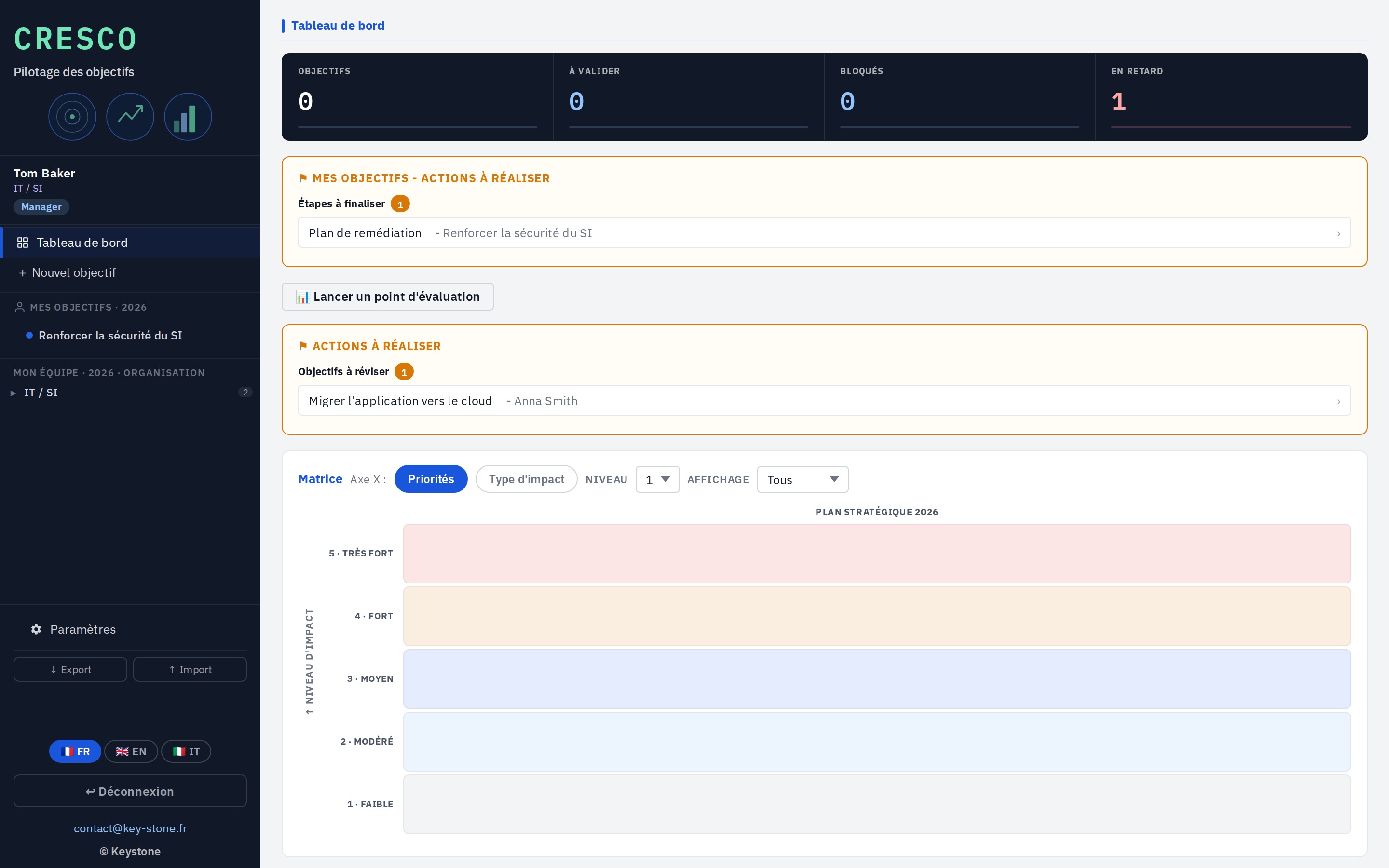
A matrix places each objective by its priority axis and its impact level. You see at once where the effort concentrates, what weighs most, and what stays secondary. The manager and leadership arbitrate on this view.

  • Objectives crossed by priority and impact
  • Effort concentration visible at once
  • Filter by impact level
key-stone.fr/cresco
Cresco, matrix of objectives crossed by priority and impact
02 · Objective

The objective, split into weighted steps

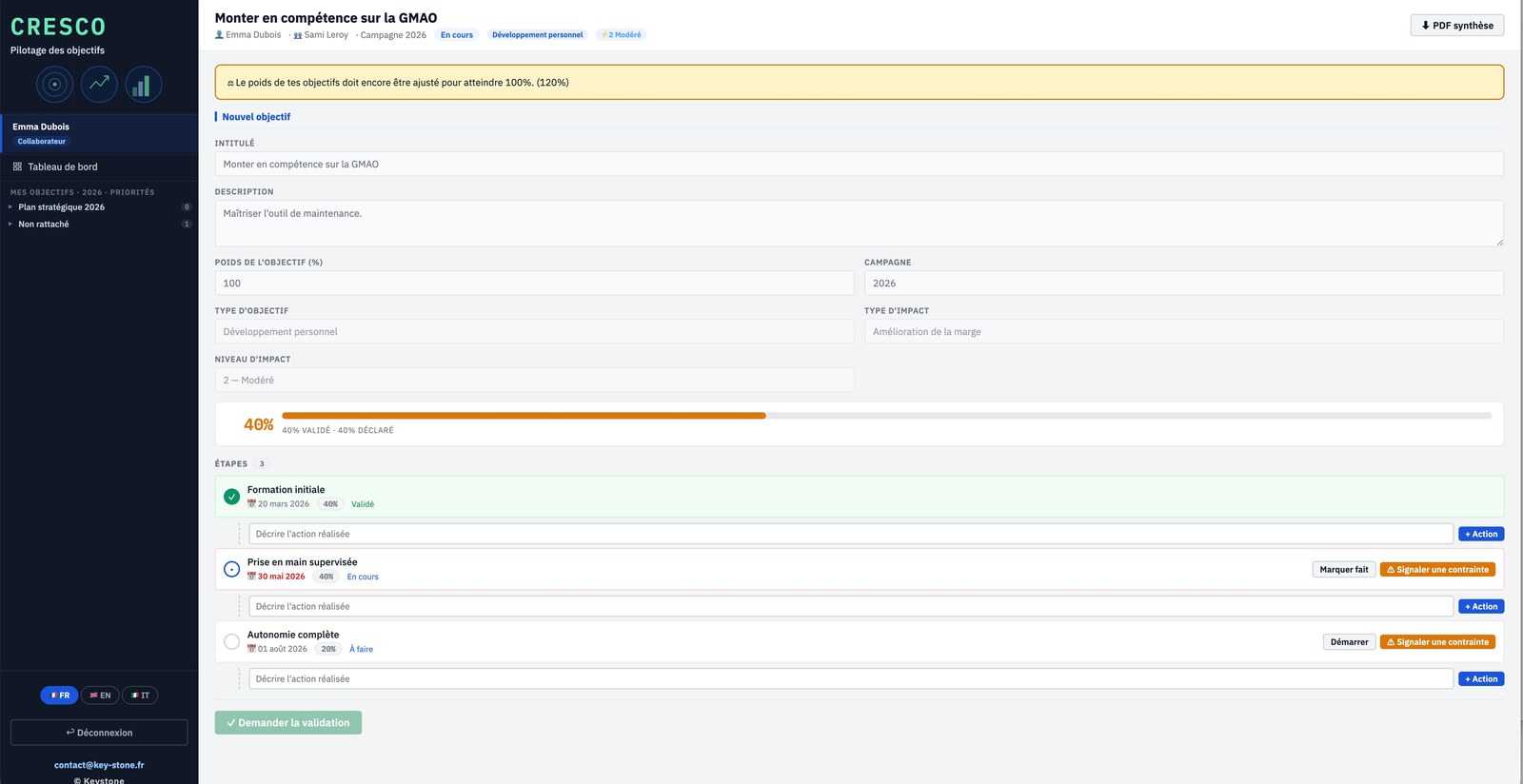
Each objective carries a weight, an impact type and an impact level. It splits into dated, weighted steps. The employee logs actions, flags a constraint, then requests validation.

  • Steps with deadline and weight
  • Action log per step
  • One-click blocker flag
  • Validated and declared progress
key-stone.fr/cresco
Cresco, objective detail with weighted steps and statuses
03 · Employee

The employee tracks, with nothing lost

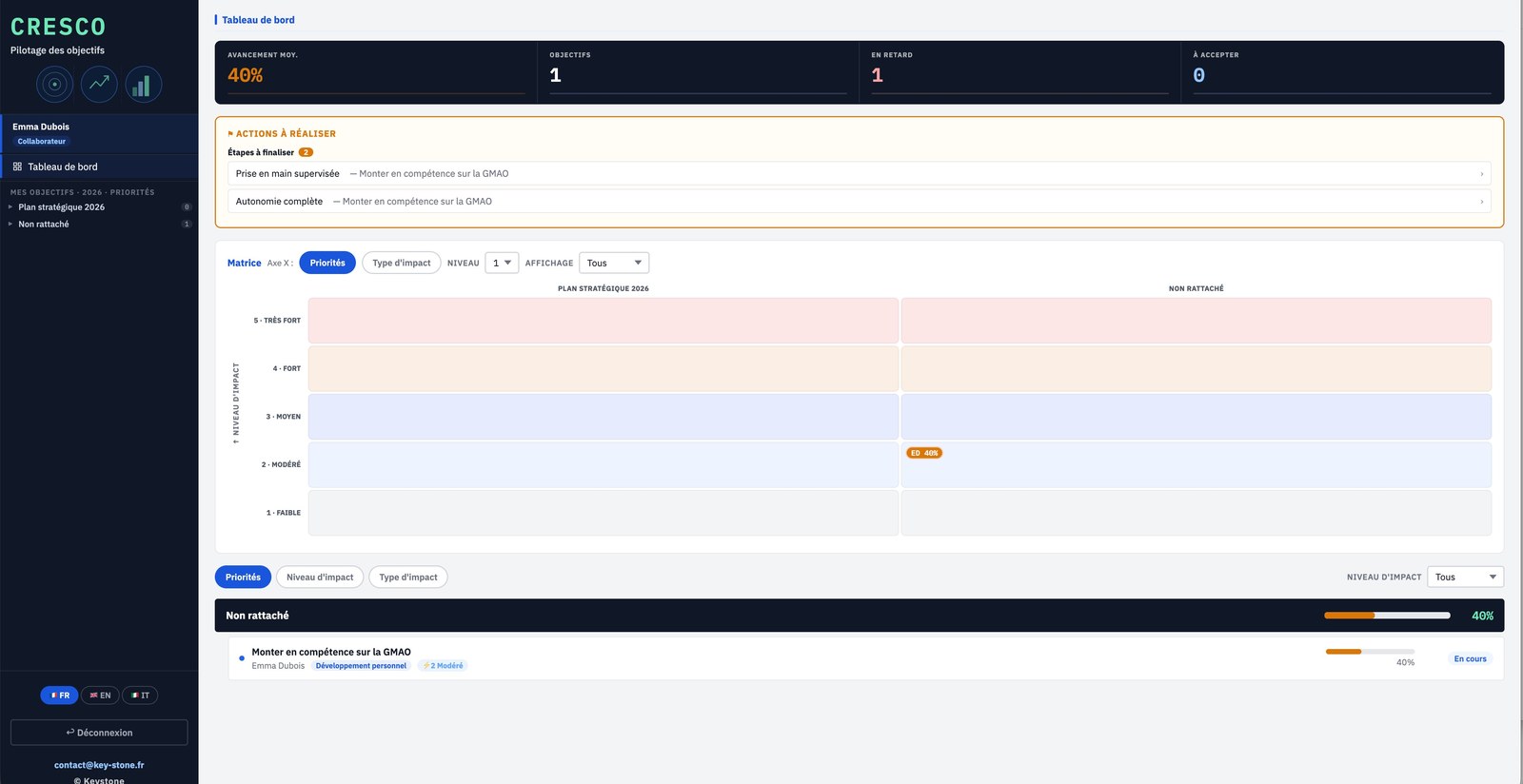
Their dashboard lists their objectives, the steps to finalise and what's overdue. They move step by step and declare as they go, without waiting for the review.

  • Progress, overdue items and objectives to accept
  • Steps to finalise highlighted
  • Matrix by impact and priority
key-stone.fr/cresco
Cresco, employee dashboard
04 · Manager

The manager steers the team

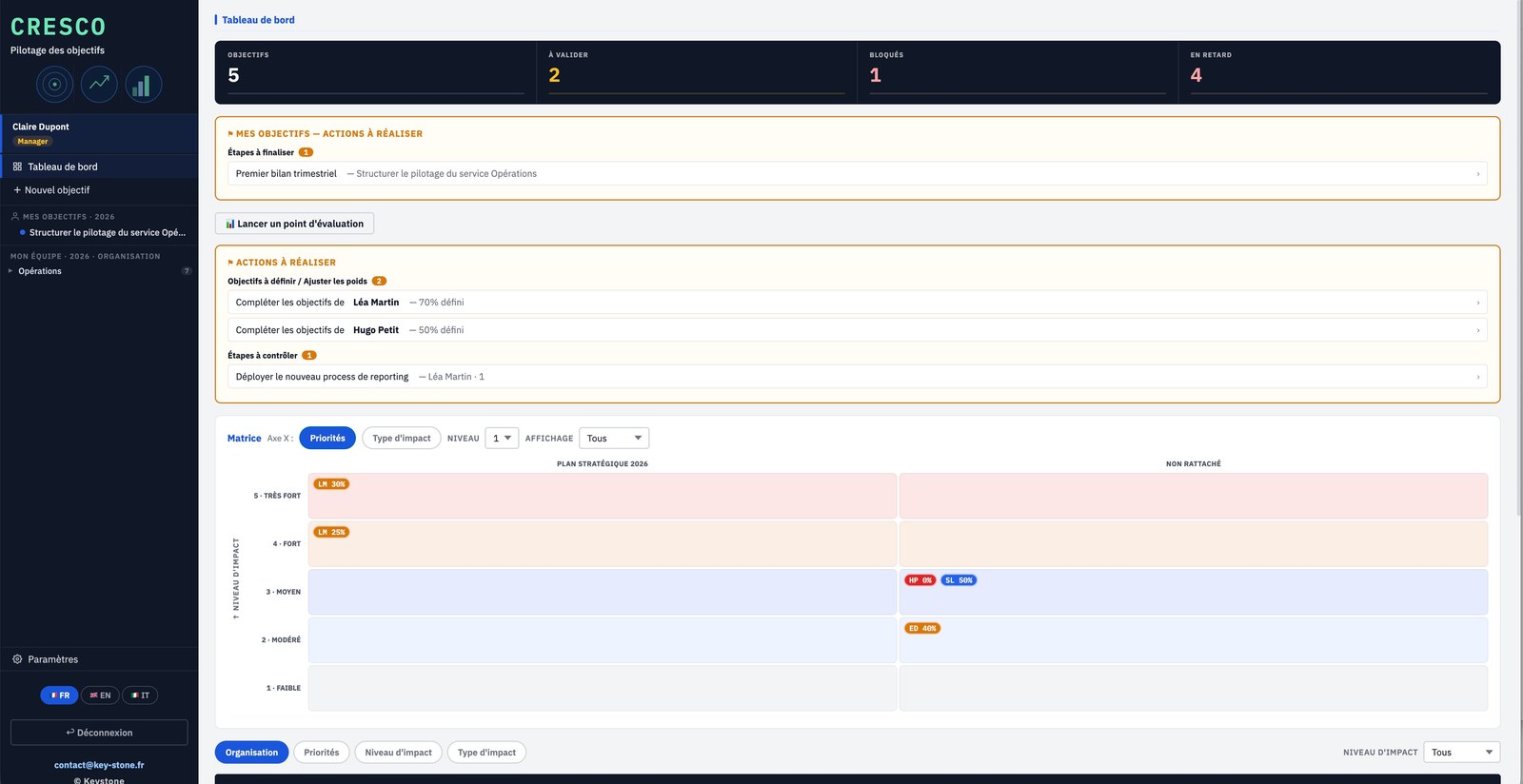
The manager sees each person's progress, the objectives to define, the steps to check and what's blocked. They propose objectives, adjust weights and validate steps.

  • Progress per employee
  • Objectives to define and weights to adjust
  • Steps to check and validate
key-stone.fr/cresco
Cresco, manager dashboard
05 · Leadership

Leadership keeps the course

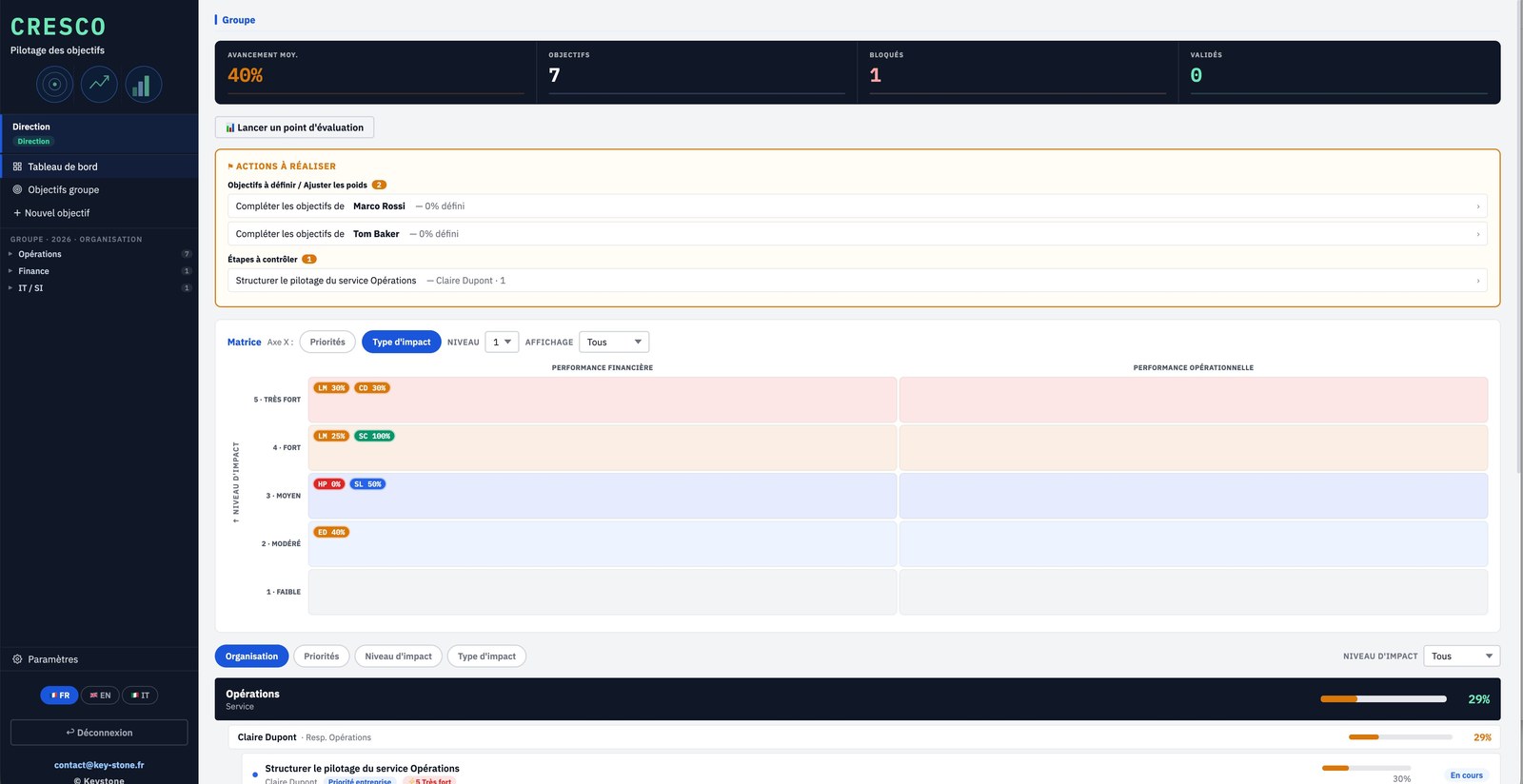
A consolidated group view: average progress, objectives, blocked, validated. The matrix crosses impact level and type to see where value concentrates, and where things stall.

  • Group indicators at a glance
  • Impact level × type matrix
  • Read by organisation, priority or impact
key-stone.fr/cresco
Cresco, consolidated leadership view with impact matrix
06 · Setup

The frame is set once

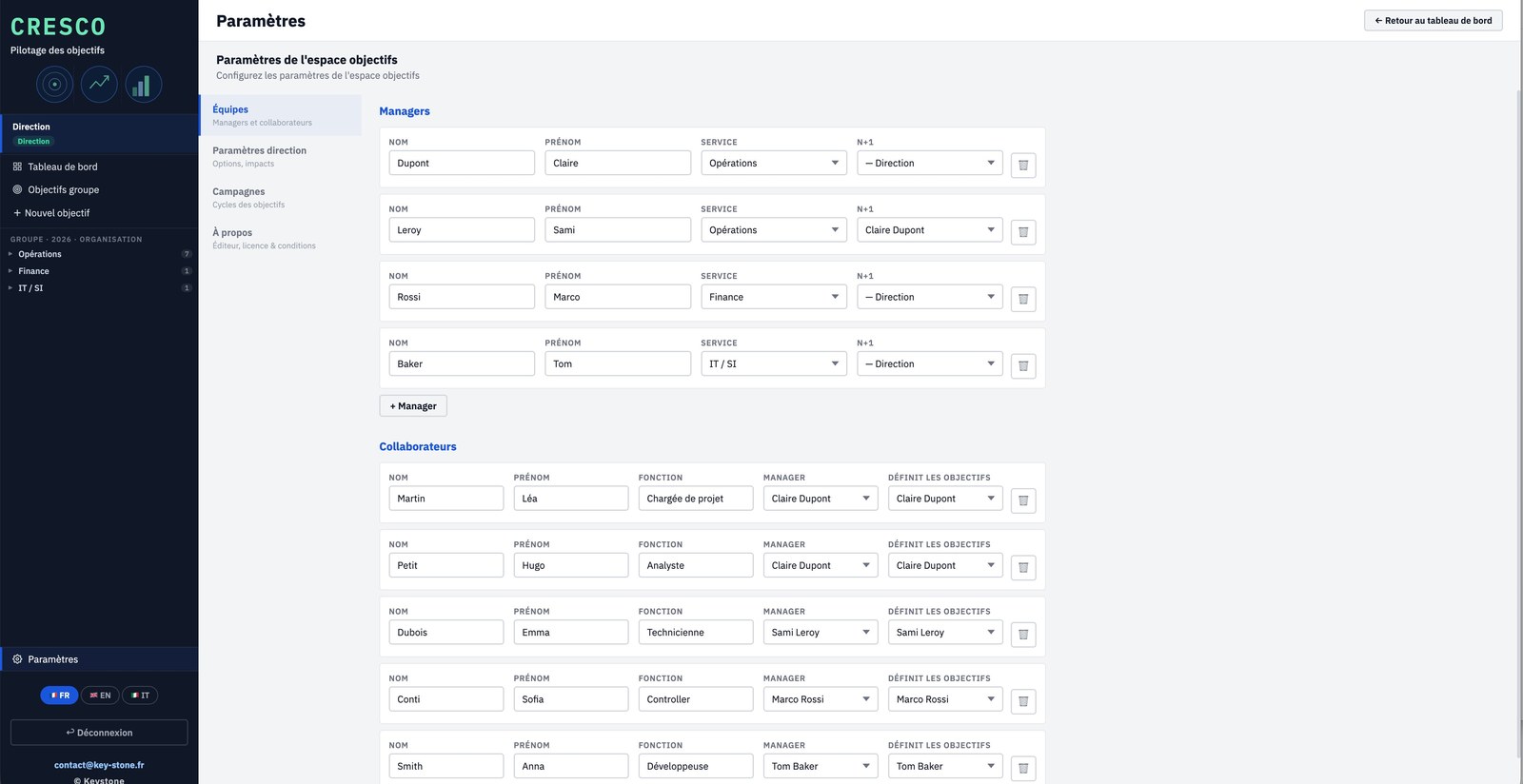
Managers, employees and N+1 links, company impact types, annual campaigns. Leadership sets the frame once, it applies to everyone.

  • Teams, managers and N+1 links
  • Company impact types and priorities
  • Annual campaigns, open or closed
key-stone.fr/cresco
Cresco, team and role settings
07 · Output

The summary, as a PDF

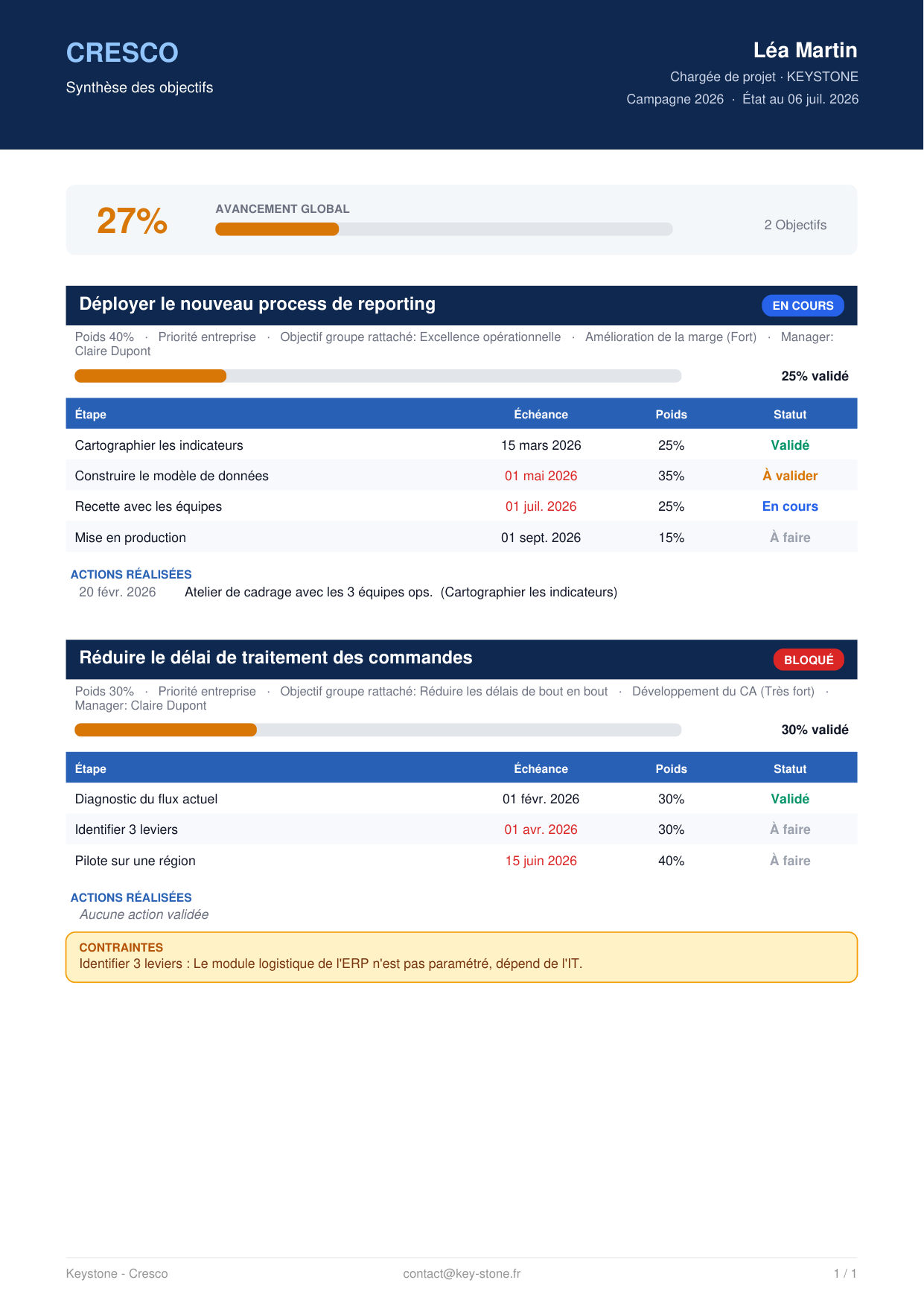
For each employee, Cresco exports a summary: overall progress, objectives, steps with deadline, weight and status, validated actions. A clean document, ready for the review.

  • One page per employee
  • Steps, weights and statuses
  • Ready for the annual review
Cresco, objective summary exported as PDF
Life cycle — each objective moves from Draft to Proposed, Accepted, In progress, Done then Validated.
Weighted progress — overall progress is computed from the weight and state of each step.
Blockers — a flagged constraint surfaces to the manager right away.
PDF summary — one page per employee, ready for the review.
03
Highlights

Light, standalone, yours

Free

Local prototype

Explore the tool and how it works, at no cost and no commitment.

No install

In the browser

One file, no software to install, no account to create.

Privacy

Local data

Everything stays in your browser. No data is sent to a server.

Languages

Trilingual

Interface in French, English and Italian.

Output

PDF export

The per-employee summary, ready for the review.

Computation

Weighted progress

Overall progress computed automatically from the steps.

04
Who it's for

Those who set and track objectives

Cresco is for those who set the course, those who run a team, and those who carry their own objectives.

General managementManagers and team leadsHuman resourcesManagement controlTransformation leadershipSME leaders
05
Keystone services

The tool is free. Rollout is a service.

Exploring Cresco locally costs nothing. Truly embedding it in how you manage objectives takes adapting it to your organisation, your priorities and your cycles. That's Keystone's role.

01

Cycle framing

Define the priorities, impact types and validation flow for objectives.

02

Setup

Teams, roles, N+1 links, impact types and campaigns tuned to your context.

03

Setting objectives

Help managers and employees set clear, weighted objectives.

04

Training

Make your teams self-sufficient on the tool and on running the cycle.

05

Running the cycle

Put evaluation checkpoints and objective tracking in place over time.

06 · Rollout

Cresco in network

A hosted version where everyone works on the same base, with no file exchange. Access rights, centralised data, sovereign hosting if needed.

Email Keystone contact@key-stone.fr
Cresco

Try it on your own objectives.

Open the tool, look at the example, then replace it with your team's objectives. In ten minutes you have a cycle that holds all year.