Keystone application · Real-estate arbitration

Norveo

Comparing several properties means juggling spreadsheets that never match. Norveo makes those properties comparable: a standardised sheet per property, a financial case computed on its own, and arbitration decisions that hold up on the numbers.

Open the application To try it right away, with nothing to install
Download ↓ To keep it on your machine and work on your own properties
Getting-started guide ↓ To understand the tool before opening it
Free · No data sent
01
The problem

Arbitrating without a comparable basis

Properties come in every format. A listing here, a spreadsheet there, an estimate elsewhere. Impossible to compare. So the choice is made on a hunch, not on the numbers.

  • Each property is analysed its own way, so none can be compared to another
  • No homogeneous financial case: no yield, no cash flow, no IRR, no NPV to decide on
  • Financing and its leverage are not tied back to profitability
  • A property's risks are not assessed before taking a position
  • The final arbitration sits on a fragile spreadsheet, rebuilt for every opportunity
02
How it works

One property, one sheet, one financial case

Norveo gives a single framework. Each property becomes a structured sheet you always fill in the same way. From the acquisition, operation and financing you enter, the tool computes the financial case on its own over the holding horizon.

01 · Identity

A standardised sheet

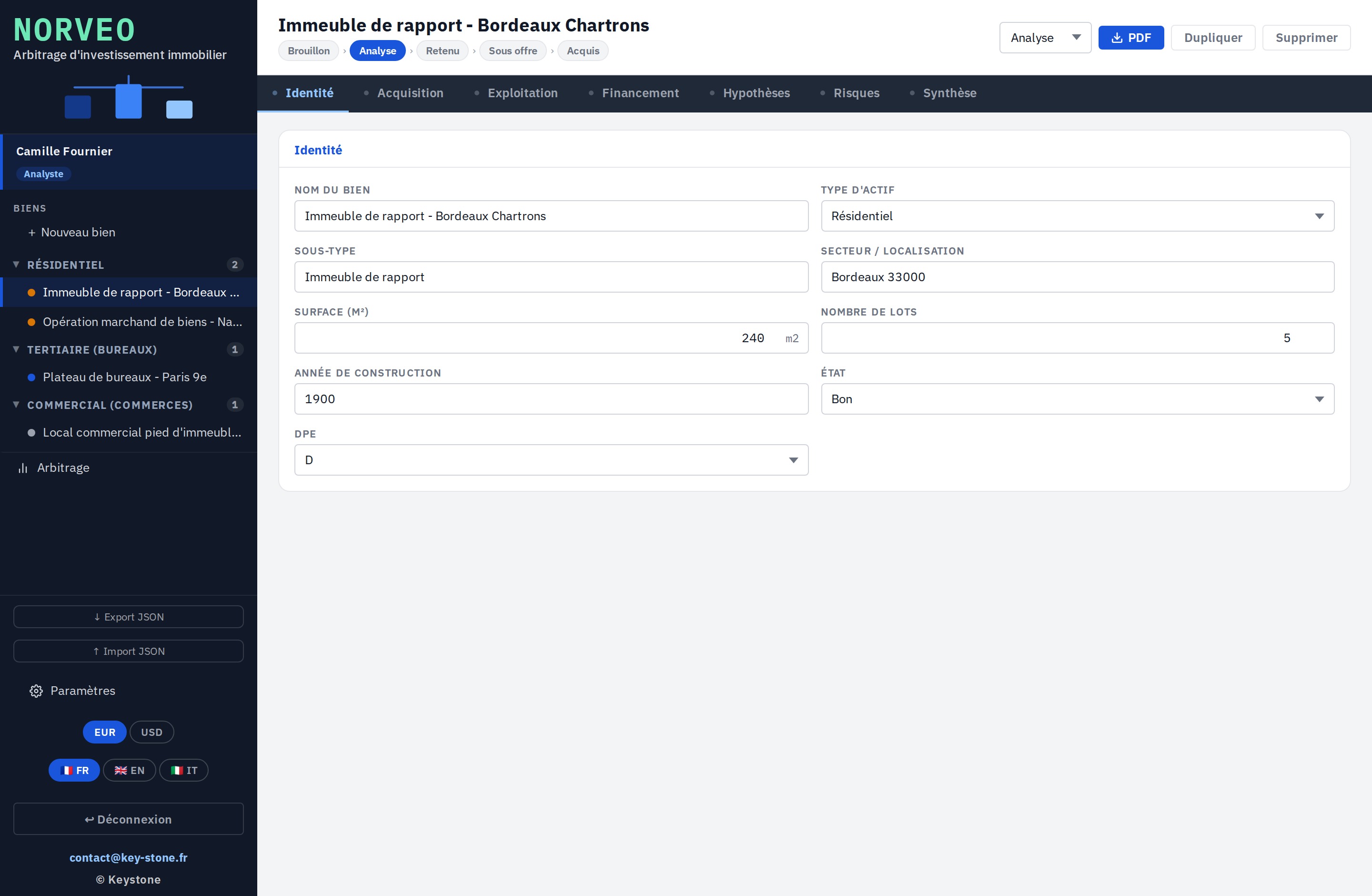
Seven tabs, the same for every property: identity, acquisition, operation, financing, assumptions, risks, summary. You describe the property once, cleanly.

  • Asset type: residential, office, retail
  • Surface, number of units, year, condition, EPC
  • Location and sub-type
key-stone.fr/norveo
Norveo, Identity screen of the property sheet
02 · Acquisition

The price and entry costs

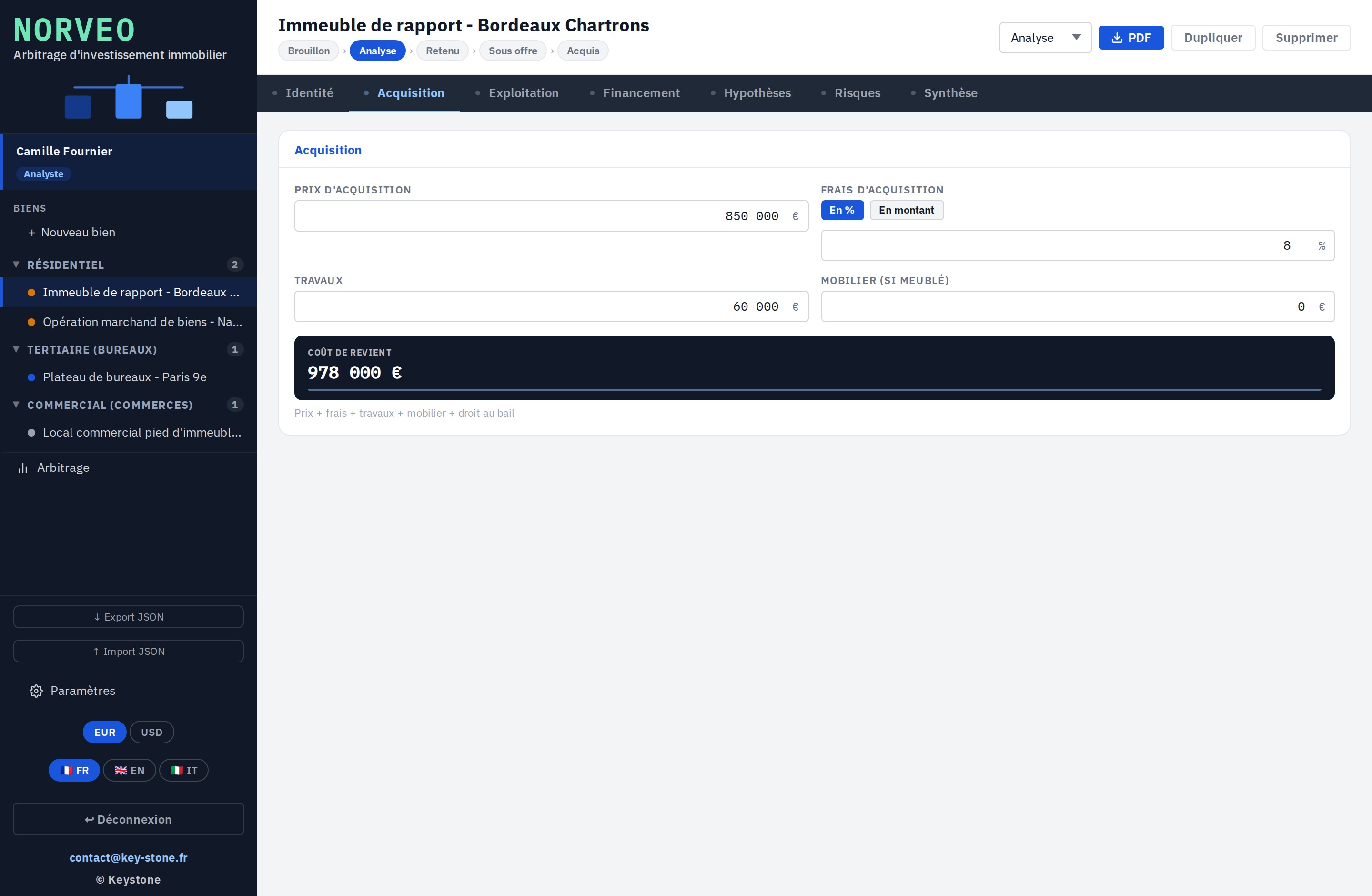
The purchase price, the acquisition costs as a percentage or an amount, and the works. Norveo consolidates the property's total entry cost.

  • Costs as a percentage or an amount
  • Works included in the total cost
  • Consolidated entry cost
key-stone.fr/norveo
Norveo, Acquisition screen with price and costs
03 · Operation

Rents and charges

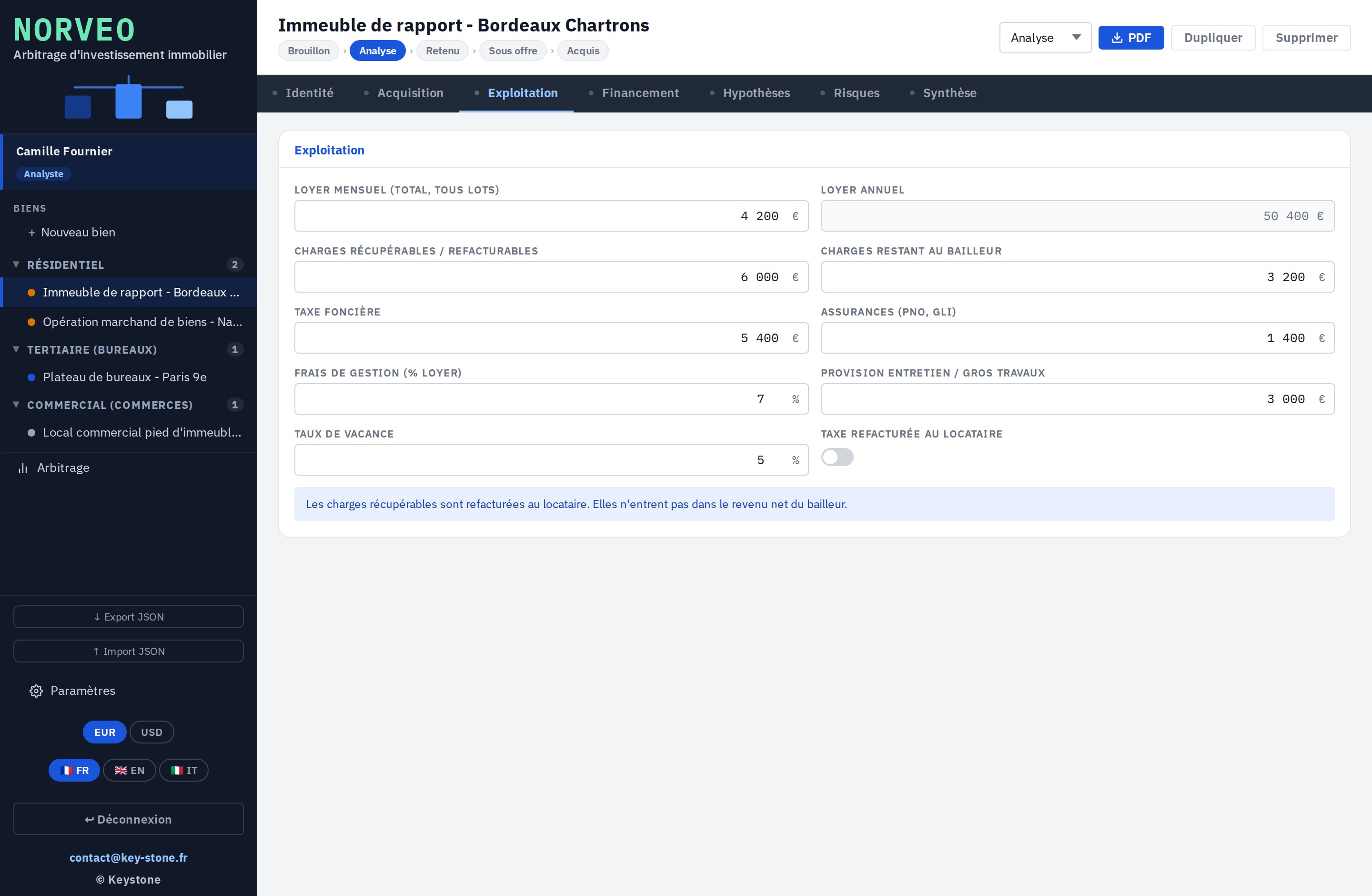
Rental income, vacancy, non-recoverable charges, property tax and management fees. Enough to establish the net operating income.

  • Rents and vacancy rate
  • Charges, property tax, management
  • Net operating income computed
key-stone.fr/norveo
Norveo, Operation screen with rents and charges
04 · Financing

The loan and leverage

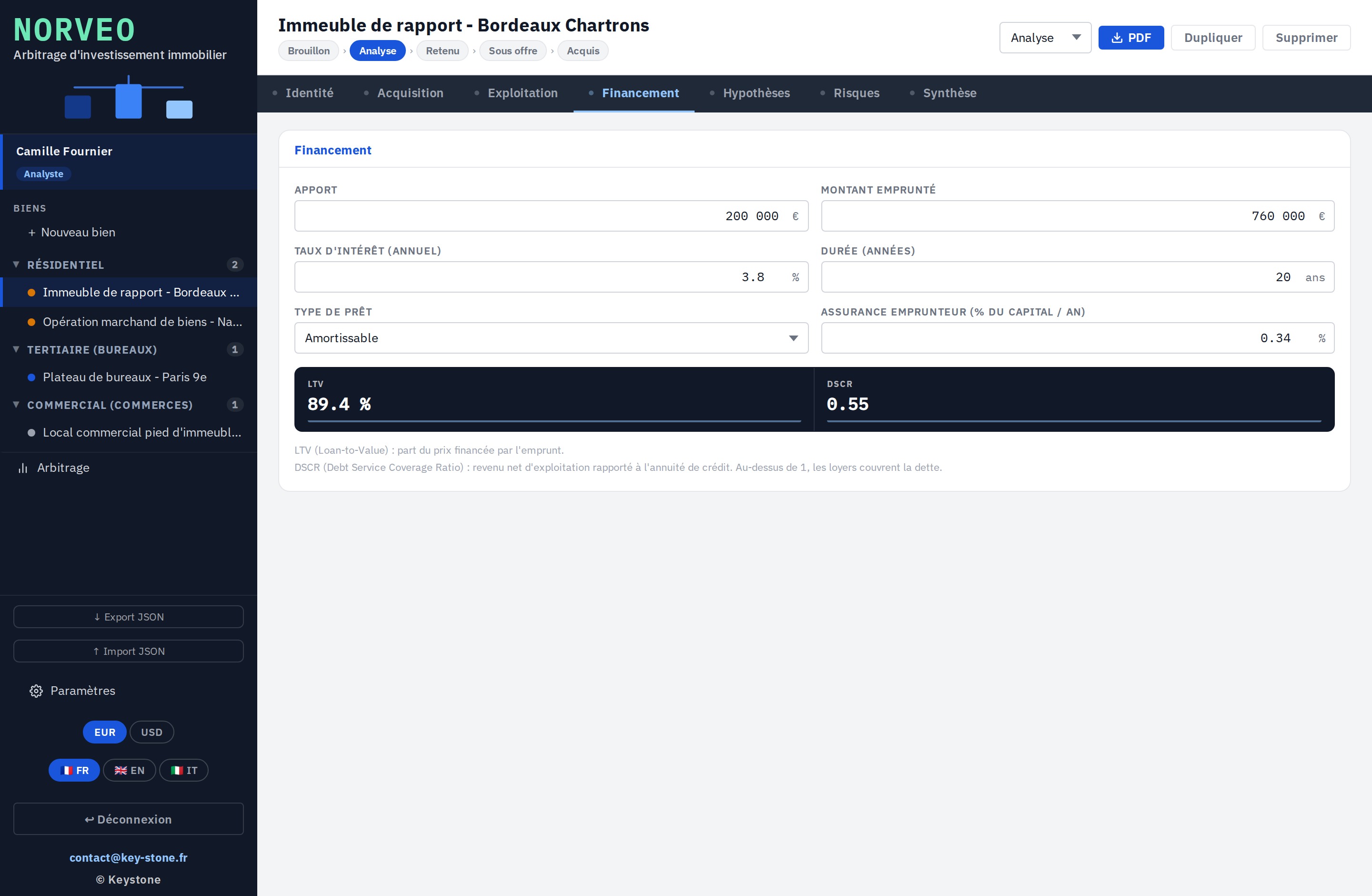
Equity, loan amount, rate, term and insurance. Norveo computes the annuity, the LTV and the DSCR to gauge how solid the structure is.

  • Amortising or interest-only loan
  • LTV: share financed by the loan
  • DSCR: debt coverage by the rents
key-stone.fr/norveo
Norveo, Financing screen with LTV and DSCR
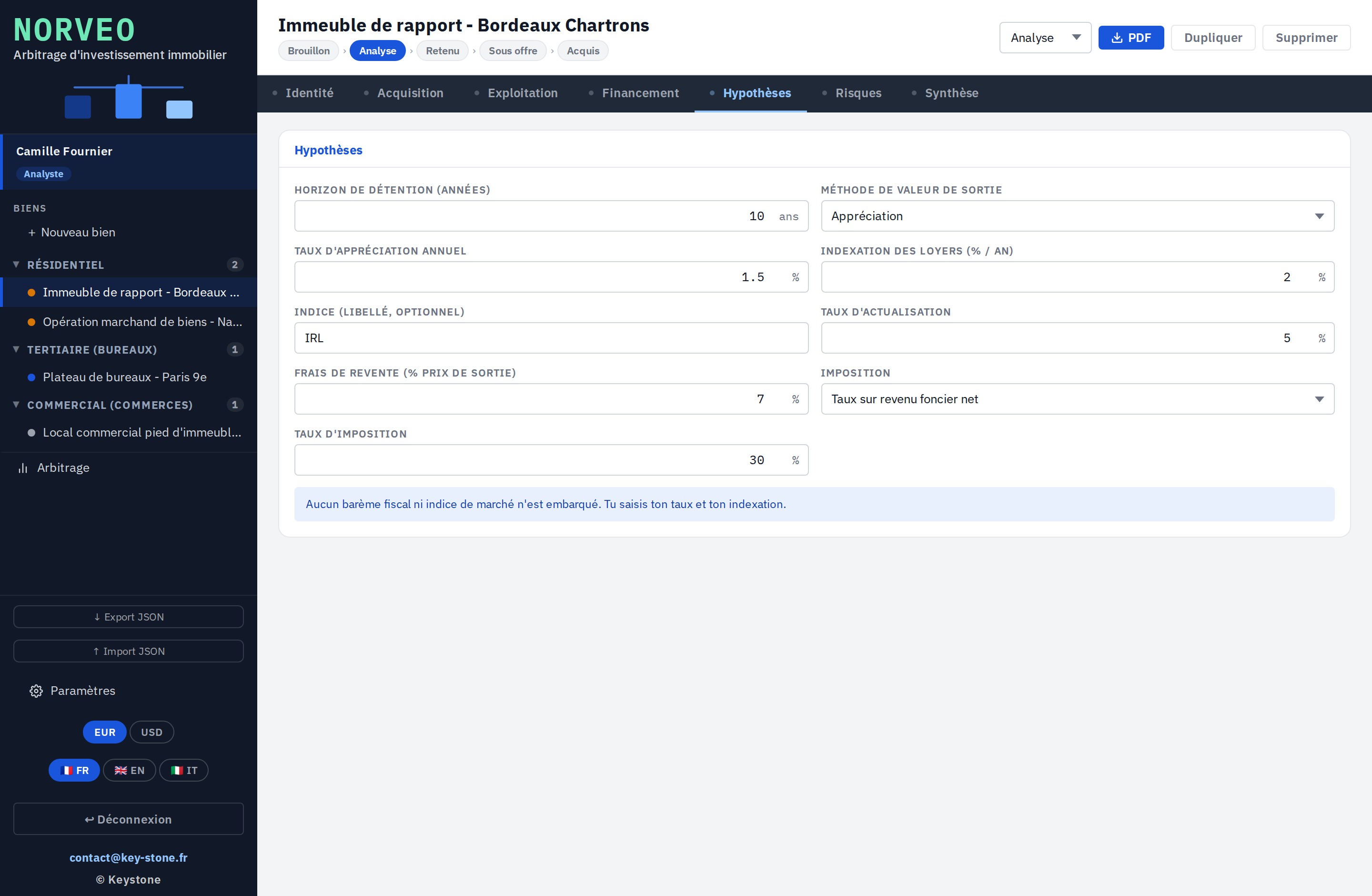
05 · Assumptions

Exit and discounting

The annual appreciation rate, the resale costs and the discount rate. These are the assumptions that drive the exit value and the NPV.

  • Exit value by appreciation of the price
  • Resale costs
  • Adjustable discount rate
key-stone.fr/norveo
Norveo, Assumptions screen with appreciation and discounting
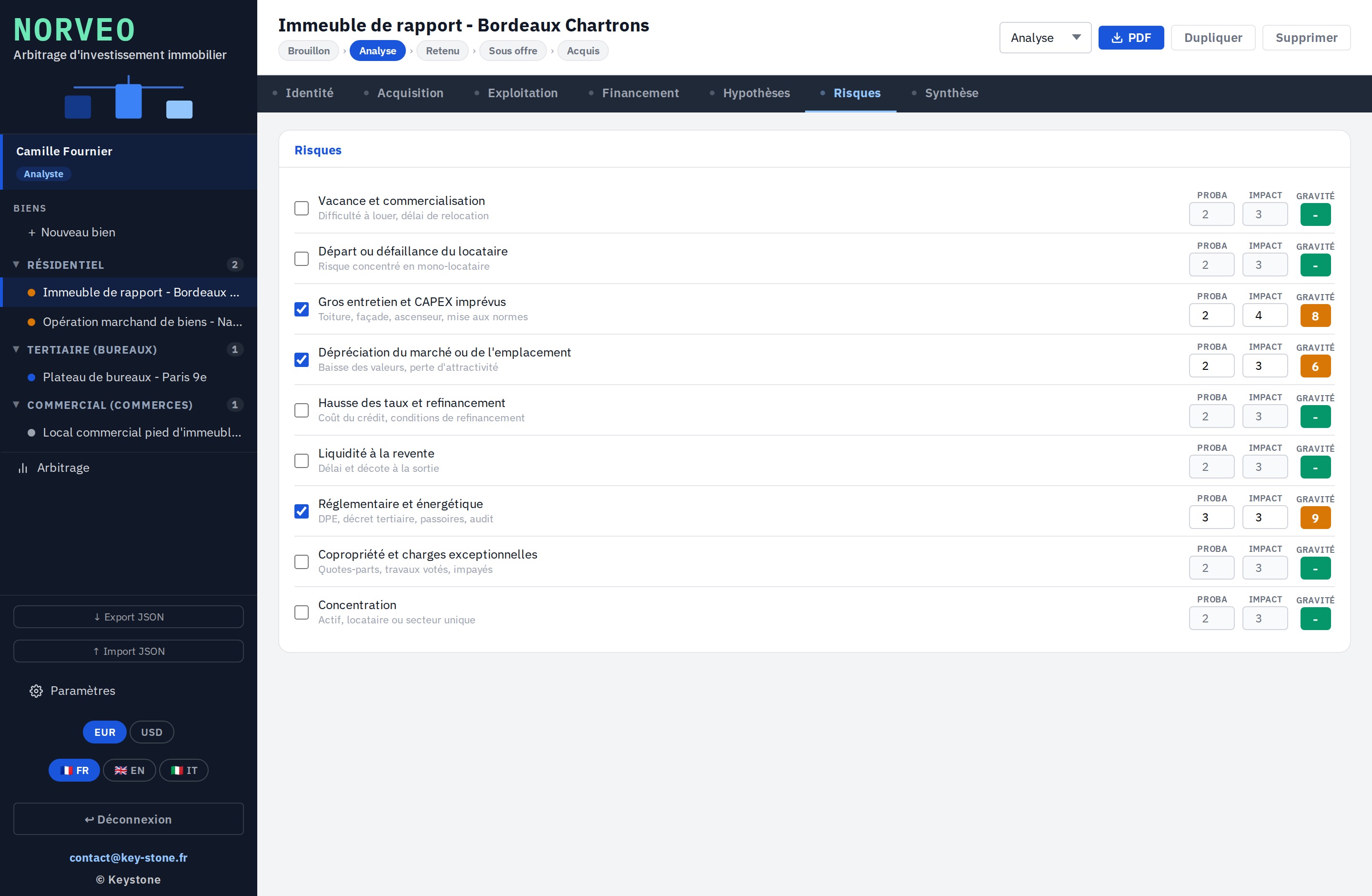
06 · Risks

Risks, assessed

A grid of risks specific to the property, scored on probability and impact, with a severity computed and colour-coded. The risk profile stands out at a glance.

  • Probability × impact on a 1 to 5 scale
  • Severity from Low to Critical
  • Automatic sorting by severity
key-stone.fr/norveo
Norveo, Risks screen with severity
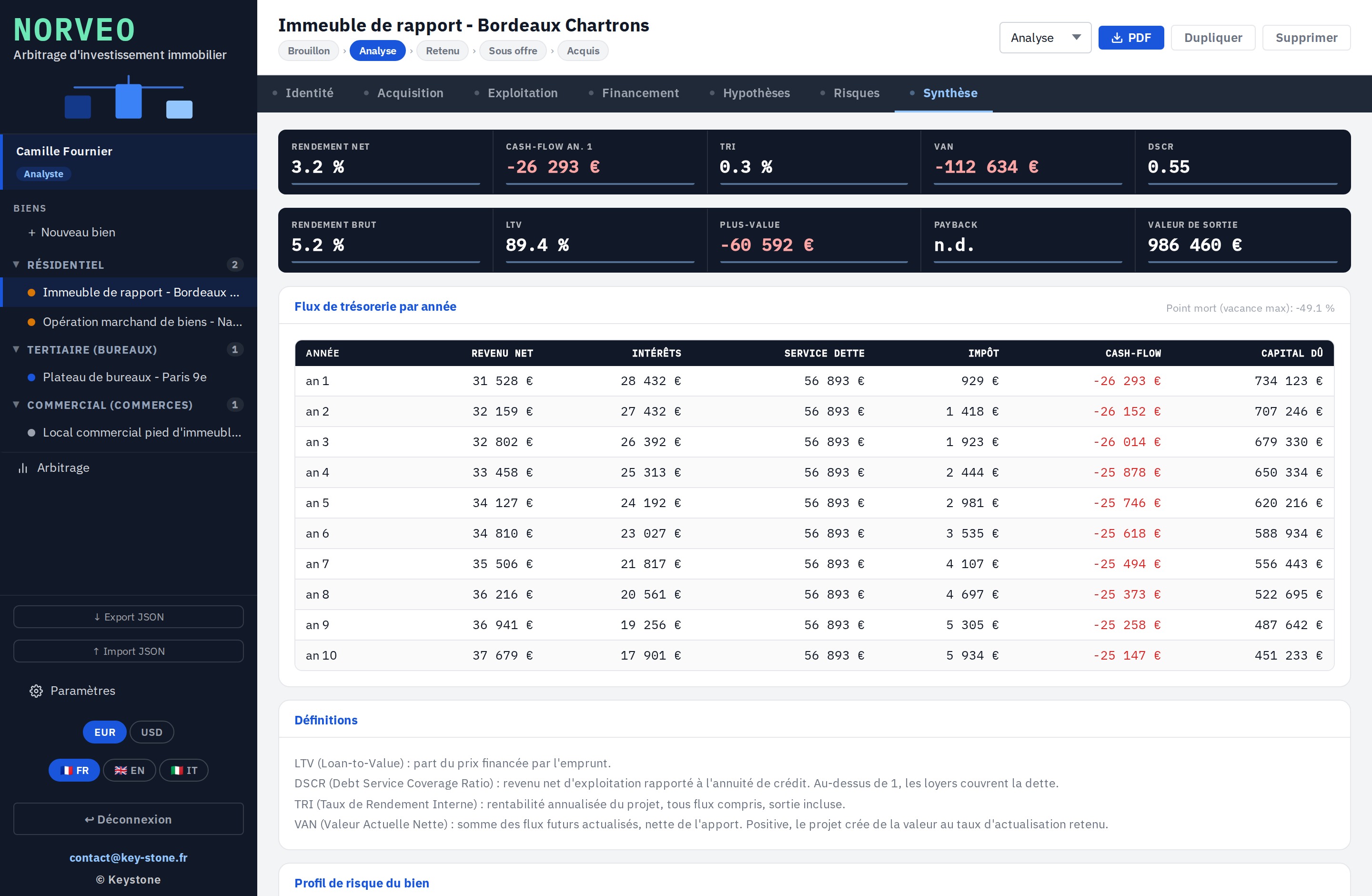
07 · Financial summary

The financial case, computed on its own

This is where everything comes together. From the acquisition, operation, financing and assumptions, Norveo computes the yield, cash flow, IRR and NPV, and charts the flows year by year.

  • Net yield, cash flow, IRR and NPV
  • Cash flows over the holding horizon
  • Built-in definitions of the metrics
key-stone.fr/norveo
Norveo, Financial summary screen with yield, cash flow, IRR, NPV
08 · Output

The full sheet, as a PDF

Once the sheet is filled, Norveo exports it as a PDF: identity, acquisition, operation, financing, summary and risk profile. A clean document, ready to present to a partner or a bank.

  • Every section on a single page
  • Year-by-year flows and metrics
  • Exported in the chosen language and currency
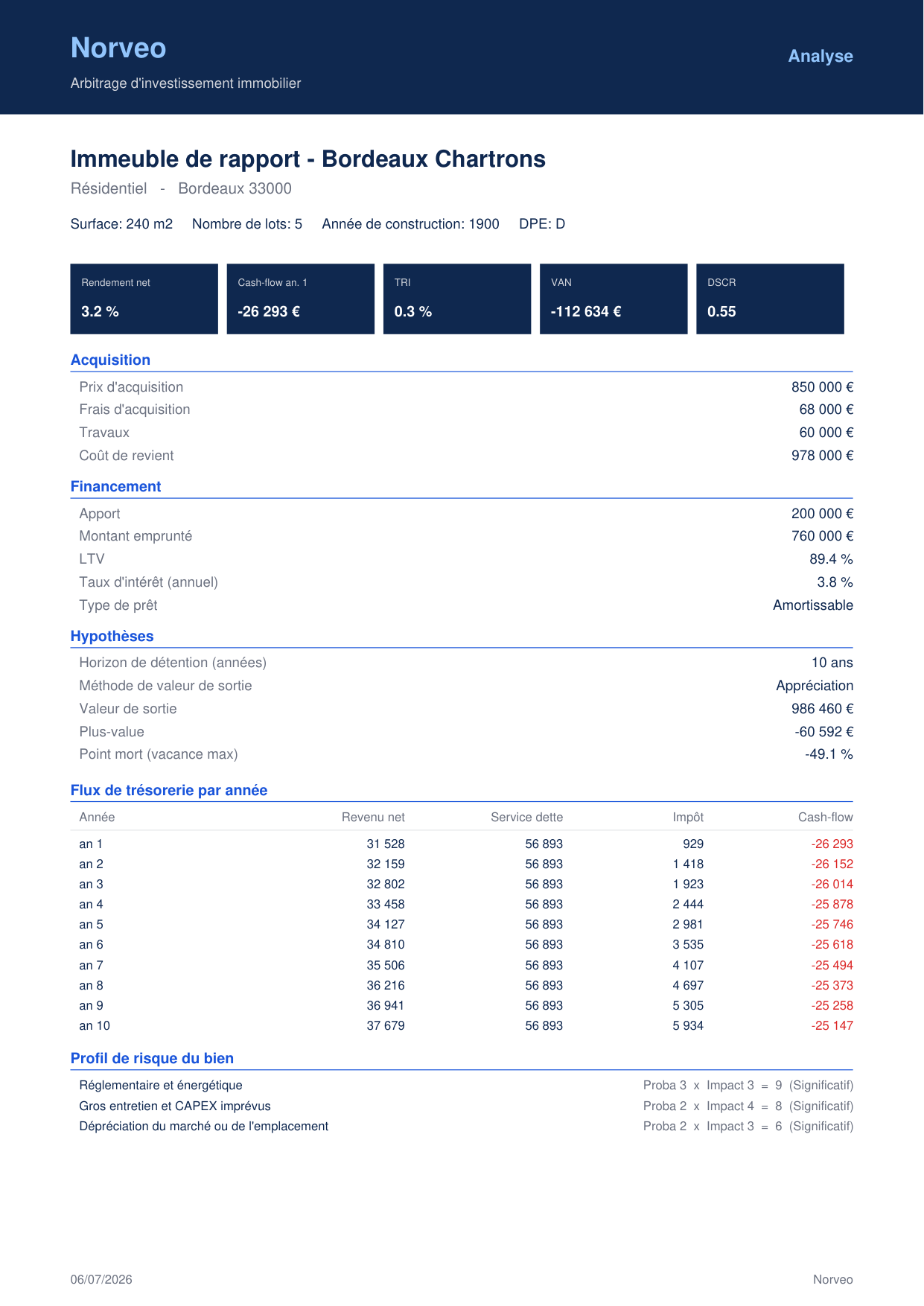
Norveo, property sheet exported as a PDF
Decision flow – each property moves from Draft to Analysis, Shortlisted, Under offer, Acquired or Rejected.
Comparator – an arbitration table and a yield / risk matrix across the whole portfolio.
Multi-currency – euro and dollar, adjustable exchange rate on the PDF.
Sheet sharing – JSON export and import to move a portfolio between machines.
03
Highlights

Light, self-contained, yours

Free

Local prototype

Explore the tool and how it works at no cost and with no commitment.

No install

In the browser

One file, no software to install, no account to create.

Privacy

Data stays local

Everything stays in your browser. No data is sent to a server.

Languages

Trilingual

Interface in French, English and Italian.

Output

PDF export

The full property sheet, laid out, ready to share.

Computation

Built-in financial case

Yield, cash flow, IRR and NPV computed automatically.

04
Who it's for

Those who invest

Norveo is for those who compare several properties before committing their money, and for those who advise them.

Real-estate investor Property trader Family office Wealth manager Property fund and club deal Broker and buying agent
05
Keystone services

The tool is free. Implementation is a service.

Exploring Norveo locally costs nothing. Putting it to real work in your decisions means adapting it to your strategy, your assumptions and your partners. That is Keystone's role.

01

Strategy framing

Define the investment thesis, the selection criteria and the decision flow.

02

Configuration

Assumptions, costs, taxation and currencies set to your context.

03

Building the cases

Support the production of solid cases, defensible in front of a bank.

04

Training

Make your teams self-sufficient on the tool and the arbitration method.

05

Portfolio steering

Set up and run the follow-up of the properties over time.

06 · Deployment

Norveo in a network

A hosted version where every user works on the same base, with no file exchange. Access rights, centralised data, sovereign hosting if needed.

Email Keystone contact@key-stone.fr
Norveo

Try it on a real property.

Open the tool, look at the sample properties, then replace one with a real opportunity. In ten minutes, you have a comparable financial case.