Keystone application · Annual reviews

Evalia

An annual review campaign means inviting, tracking, formalising, reporting back. Evalia structures the whole process: a shared review template, approvals between the employee and their management line, a summary for each review, and campaign tracking.

Open the application To walk through the demo review right away
Download ↓ To keep it on your machine and adapt it to your context
Free · No data sent
01
The problem

Reviews with no common thread

Annual reviews are often run in scattered Word files or spreadsheets. Everyone has their own template, nothing is tracked, nothing is consolidated. In the end, the HR substance gets lost and the campaign becomes impossible to steer.

  • Each manager uses their own template, so reviews can't be compared
  • No campaign tracking: who has done their review, who signed, who approved
  • Approvals between employee, manager, N+2 and HR get lost in emails
  • Summaries are retyped by hand, with no common format
  • No overview of performance and potential across the team
02
How it works

One template, one workflow, one dashboard

Evalia provides a single template and a clear workflow. Every review goes through the same steps, from opening to approval. The employee and their management line fill in, approve and sign in one place. The manager steers the campaign, HR consolidates.

01 · Review template

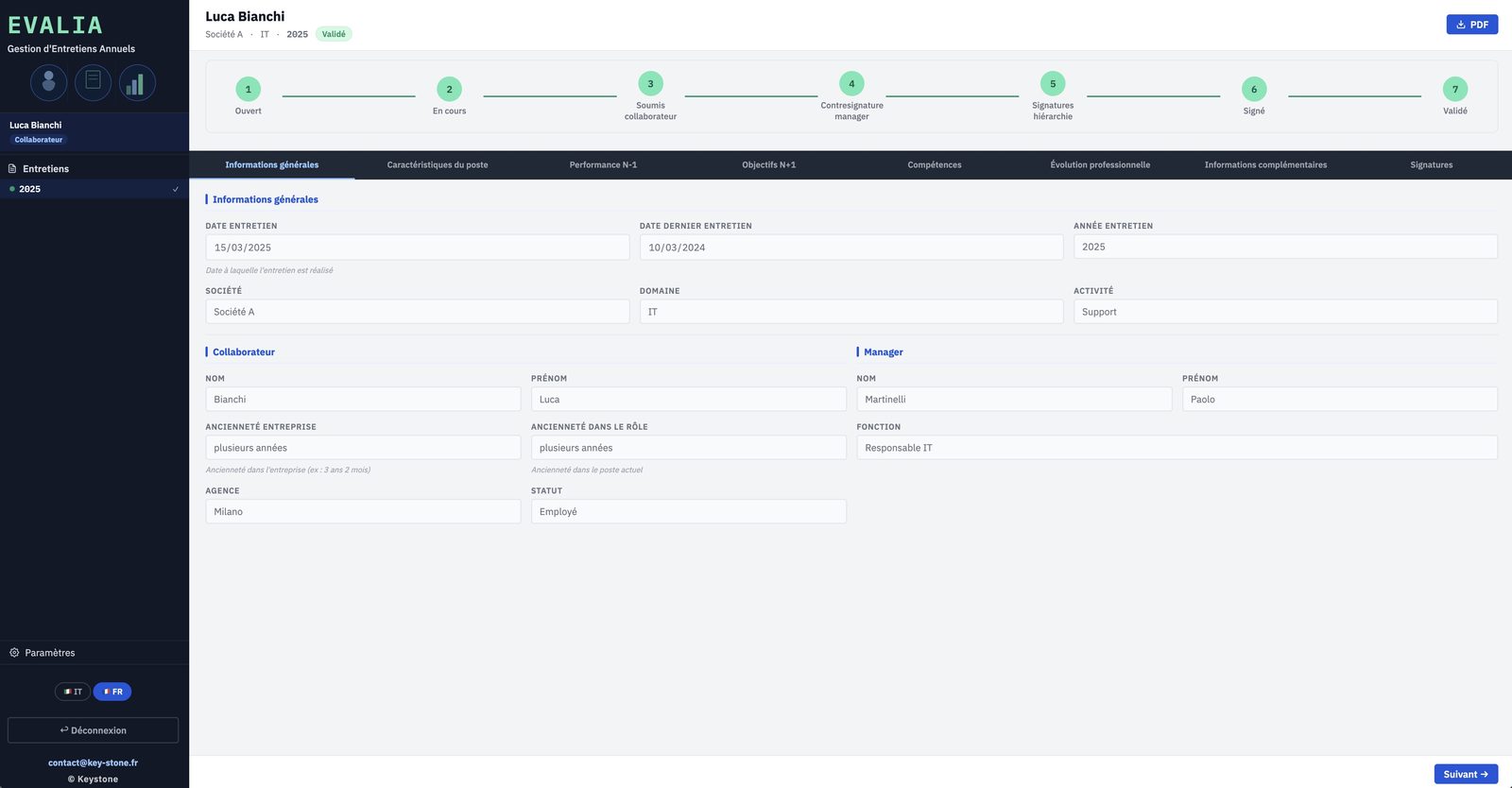
A structured template, section by section

The review is split into clear sections: general information, role, performance, objectives, skills, development. A progress thread shows where the review stands, from Open to Approved.

  • Seven steps, from Open to Approved
  • Information, role, performance, objectives
  • Template adaptable to your HR framework
key-stone.fr/evalia
Evalia — A structured template, section by section
02 · Performance and objectives

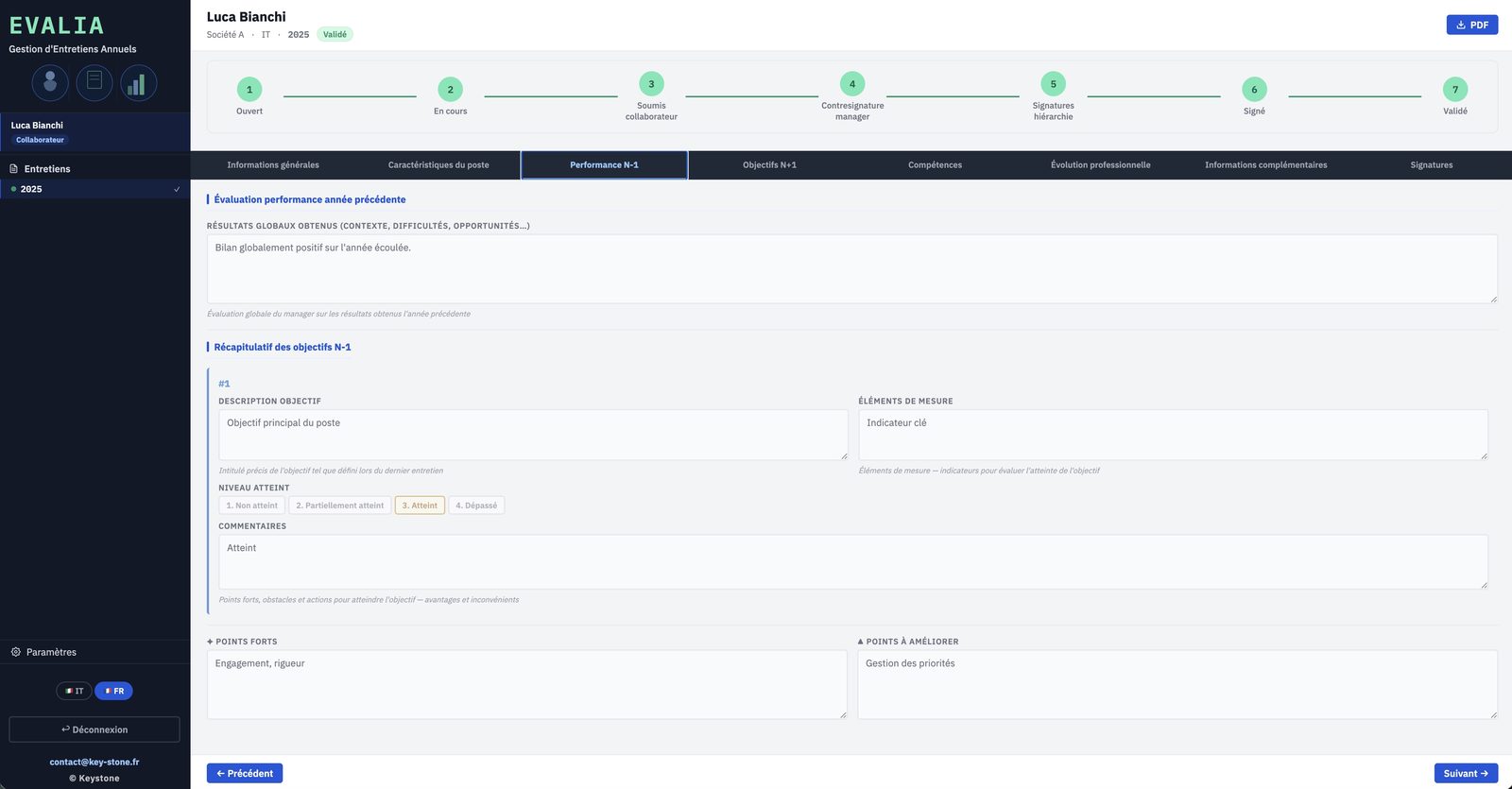
Last year's review and next year's objectives

The manager assesses the past year's results, objective by objective, from not met to exceeded. Then next year's objectives are set, with measure, deadline and action plan.

  • Yearly review, strengths and areas to improve
  • Objectives rated, from not met to exceeded
  • Next-year objectives with measure, deadline, means
key-stone.fr/evalia
Evalia — Last year's review and next year's objectives
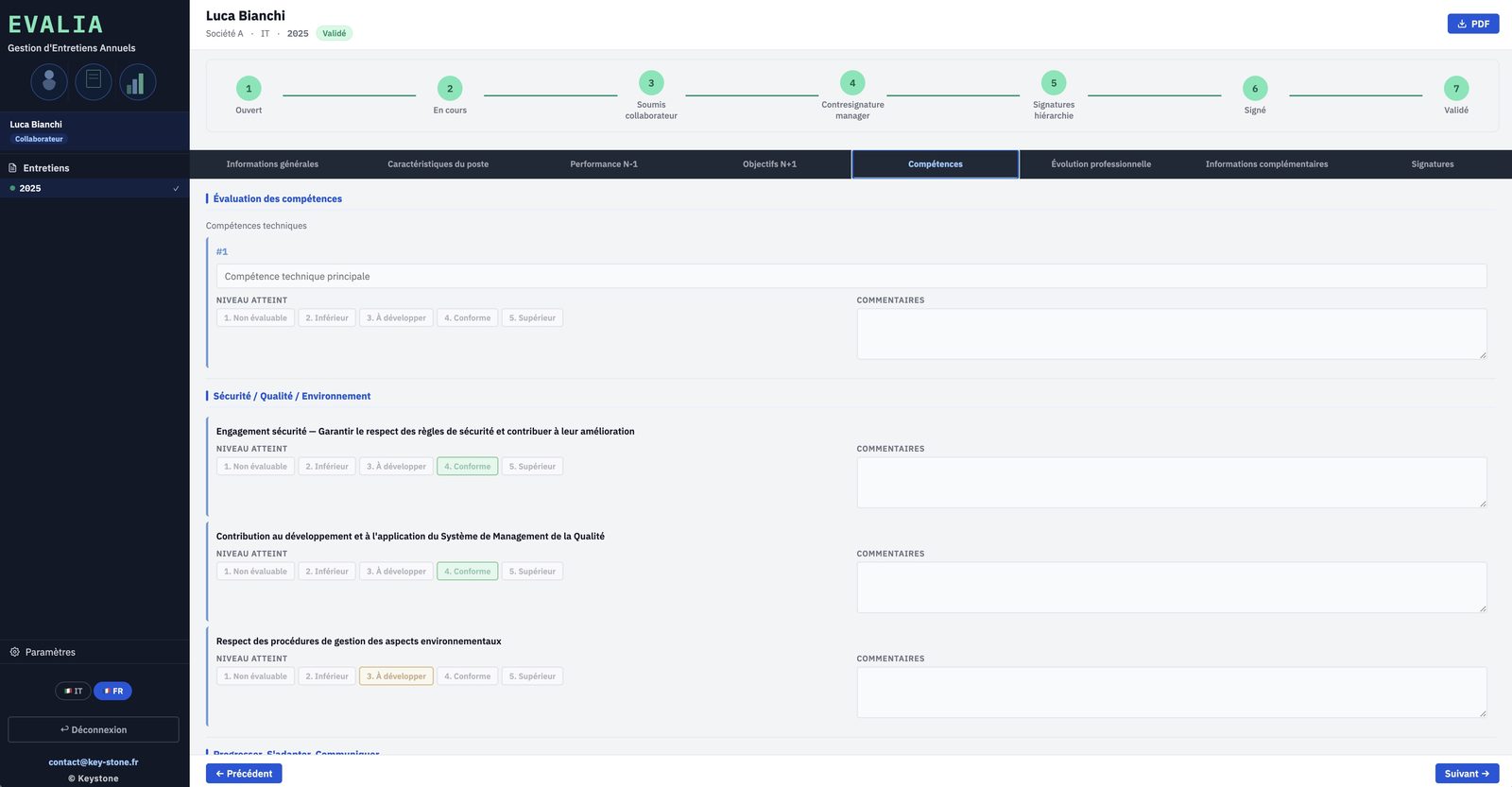
03 · Skills

Skills assessment

Technical skills, safety-quality-environment, behaviours and company values. Each skill is placed on a common scale, with a comment.

  • Technical and cross-functional skills
  • Scale from not assessable to above
  • Framework aligned with your HR grid
key-stone.fr/evalia
Evalia — Skills assessment
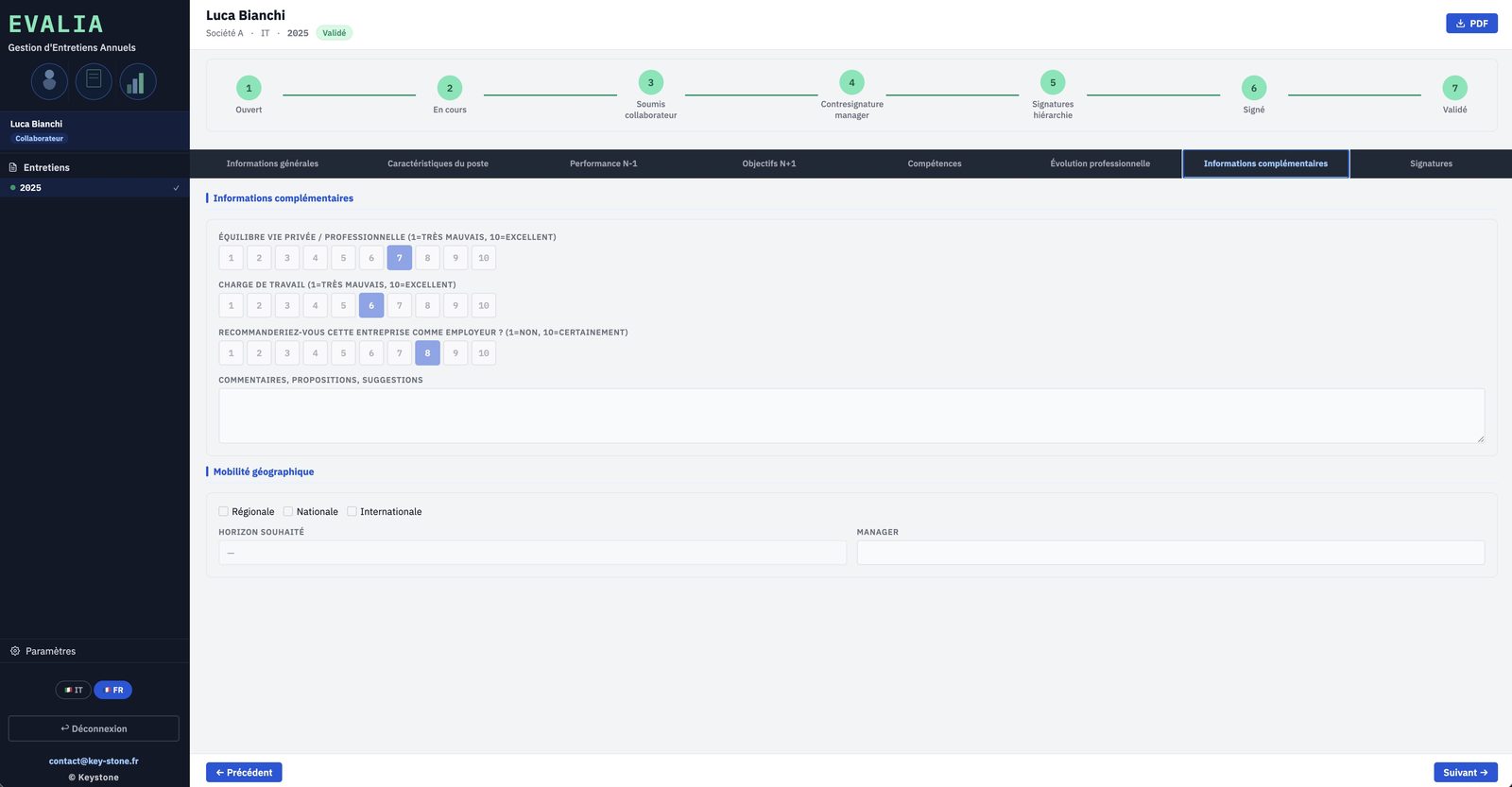
04 · Well-being and balance

Workload, balance and recommendation

Beyond performance, the review captures work-life balance, workload and whether the employee would recommend the company. Simple indicators, tracked over time.

  • Work-life balance
  • Perceived workload
  • Employer NPS and mobility wishes
key-stone.fr/evalia
Evalia — Workload, balance and recommendation
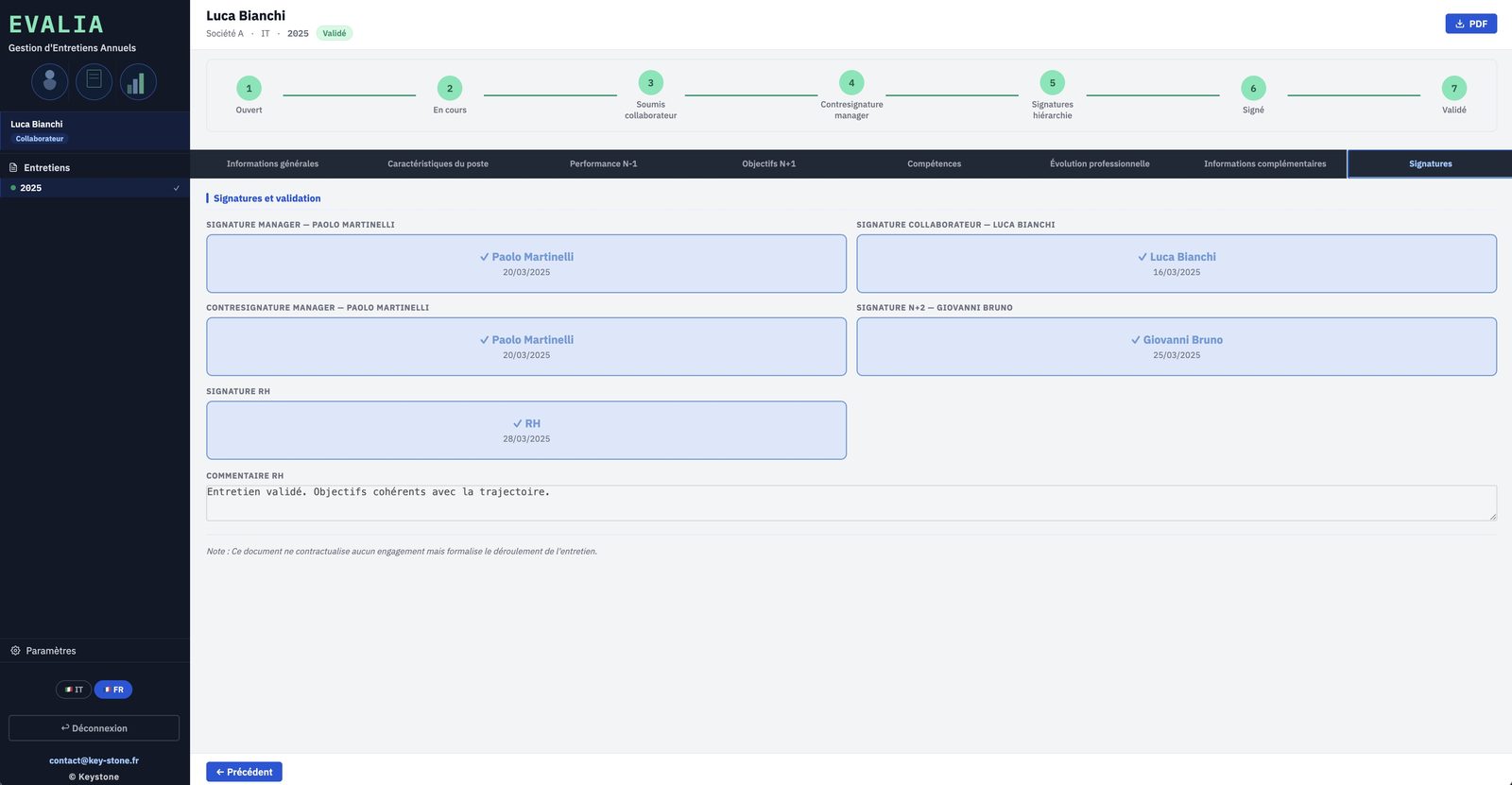
05 · Approval and signatures

A traceable approval workflow

The review moves between the employee, the manager, the N+2 and HR. Each step is signed and dated. Nothing advances until the previous approval is in place.

  • Employee, manager, N+2 and HR
  • Dated signatures at each step
  • Review status always visible
key-stone.fr/evalia
Evalia — A traceable approval workflow
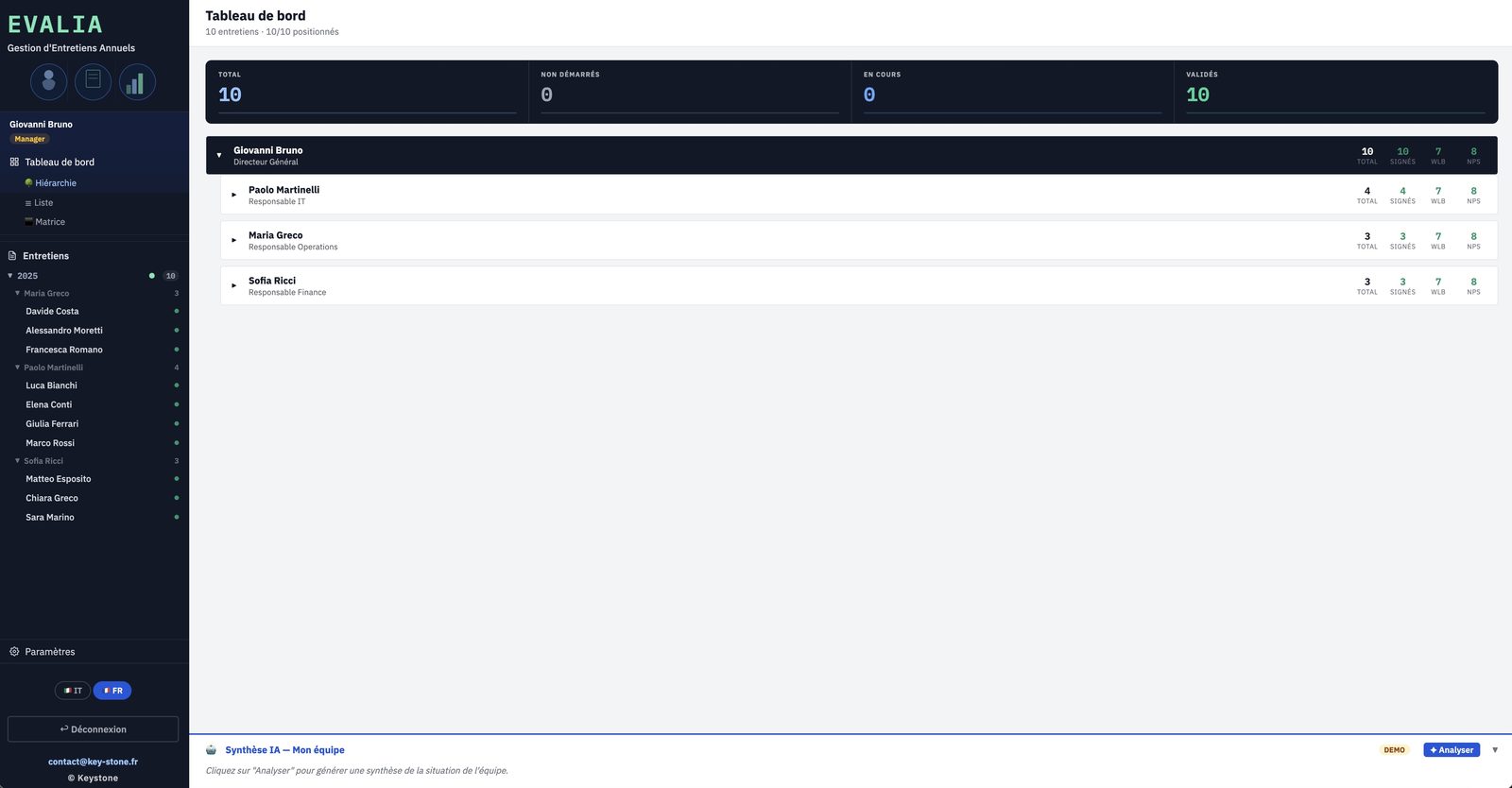
06 · Campaign tracking

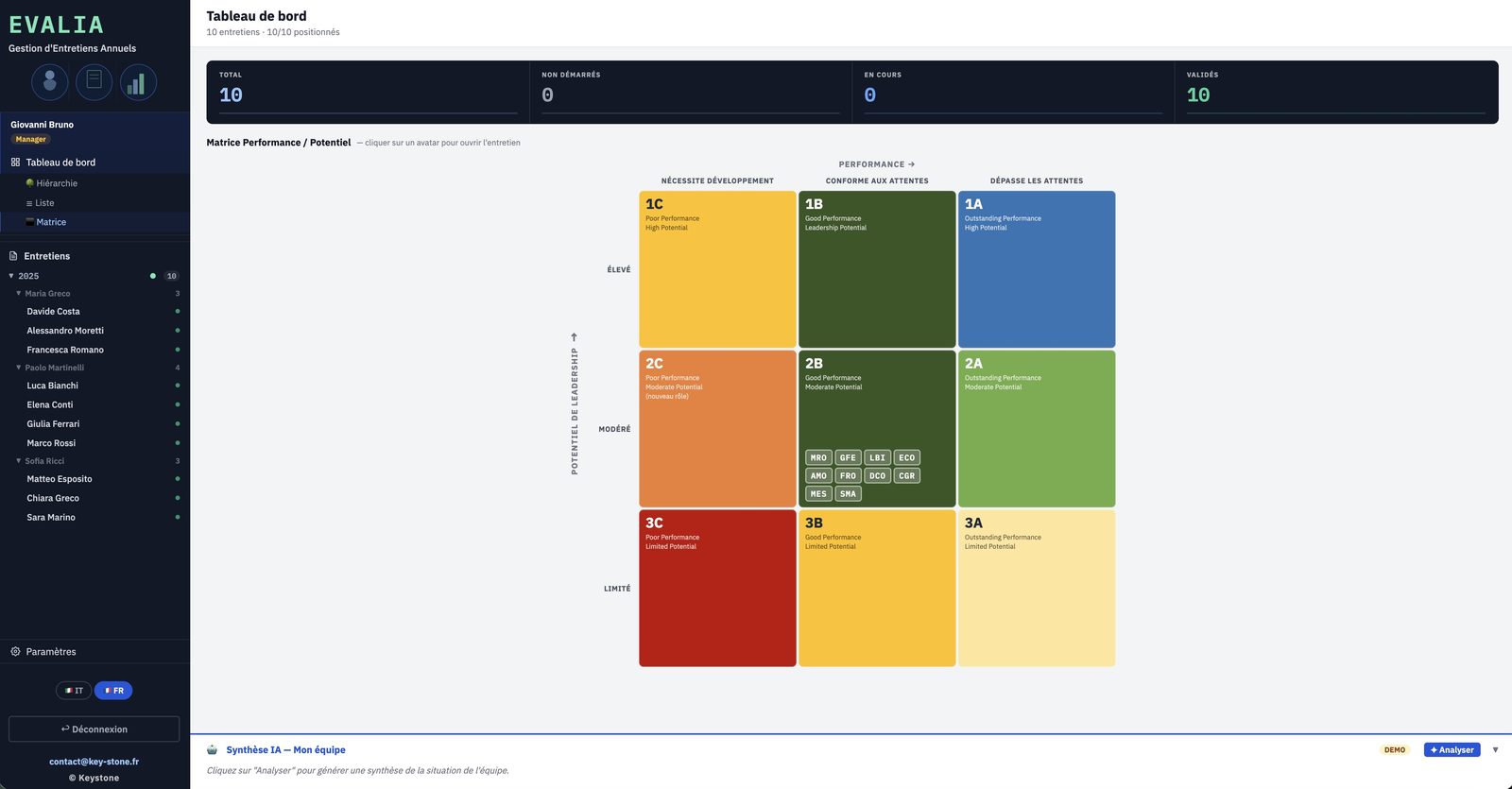
The manager's dashboard

On the manager side, Evalia tracks the whole campaign: total reviews, not started, in progress, approved. By hierarchy, list or matrix view. A team summary can be generated by AI.

  • Real-time campaign tracking
  • Hierarchy, list and matrix views
  • Optional AI team summary
key-stone.fr/evalia
Evalia — The manager's dashboard
07 · Performance / potential

The nine-box matrix

Each employee is placed on the performance / potential matrix. An immediate read of the profiles: high potentials, established performers, situations to support.

  • Nine-box performance / potential
  • Visual positioning of the team
  • A basis for talent reviews
key-stone.fr/evalia
Evalia — The nine-box matrix
08 · Output

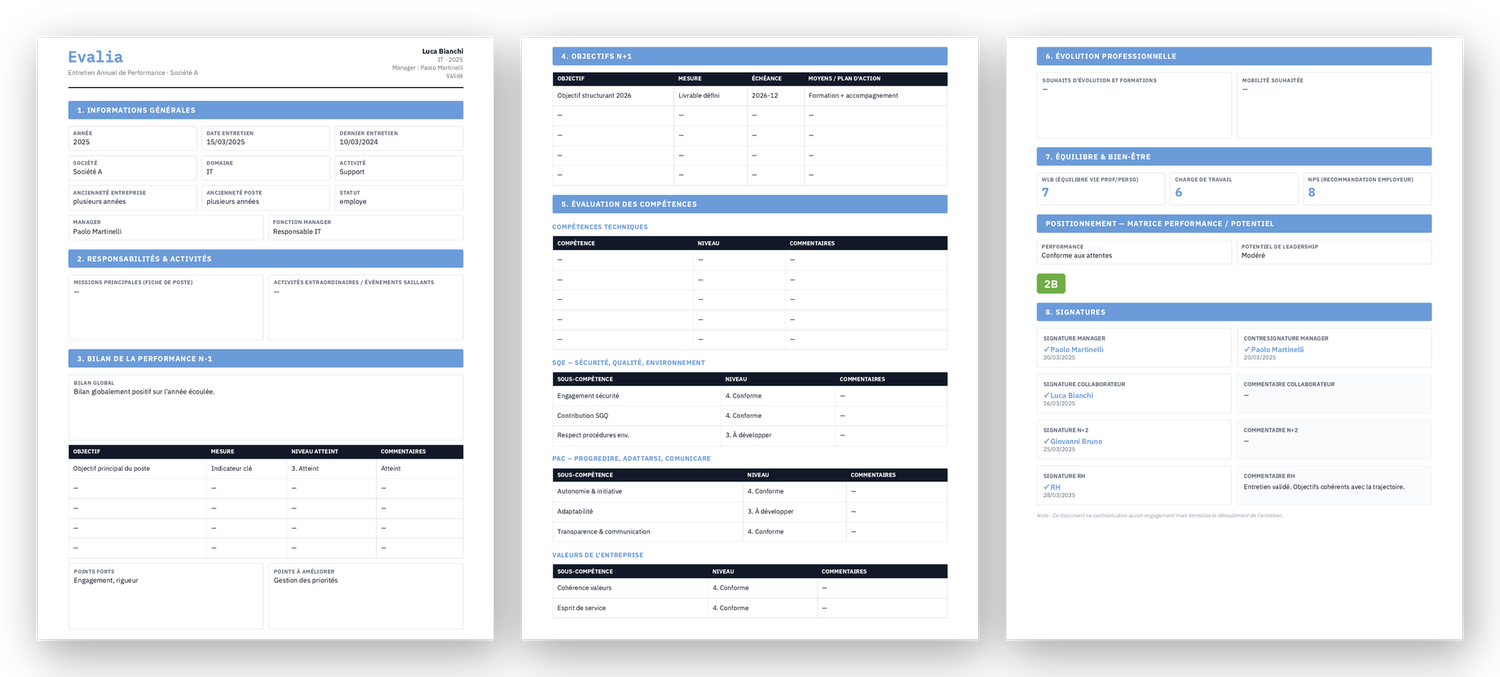
Each review as a PDF

At the end, Evalia produces the full review summary as a PDF: every section, the assessments, the signatures. A clean document, ready to file or share.

  • Every section in a single document
  • Assessments, objectives and signatures
  • Layout ready to share
Evalia — Each review as a PDF
Dedicated roles — employee, manager, N+2 and HR: each sees and approves their own scope.
Adaptable template — sections, skills and framework aligned with your HR context.
Optional AI connection — a team or workforce summary generated on demand.
Data kept local — a prototype in your browser, no data sent.
03
Highlights

Light, structured, yours

Free

Local prototype

Explore the tool and how it works at no cost or commitment.

No install

In your browser

One file, no software to install, no account to create.

Privacy

Data kept local

Everything stays in your browser. No data is sent to a server.

Languages

Trilingual

Interface in French, English and Italian.

Output

PDF export

The full review, laid out, ready to file or share.

Tracking

Dashboard and matrix

Campaign tracking and a performance / potential matrix.

04
Who it's for

Those who run the reviews

Evalia is for those who run the annual reviews and those who steer the campaign.

Human resources Managers and team leads Executive management Review campaign owners SMEs and mid-caps, multi-company Subsidiaries and joint ventures
05
Keystone services

The tool is free. Rolling it out is a service.

Exploring Evalia locally costs nothing. Adapting it to your HR framework, your roles and your campaign takes scoping and configuration. That is Keystone's role.

01

Campaign scoping

Review template, skills, approval workflow and schedule.

02

Configuration

Sections, skills framework, roles and reporting lines.

03

HR framework import

Aligning the template with your agreements, grid and values.

04

Training

Making managers and HR self-sufficient on the tool and the review.

05

HR steering

Running the campaign, using the matrix and team summaries.

06 · Deployment

Evalia on a network

A hosted version where everyone works on the same base, with no file exchange. Access rights, centralised data, sovereign hosting if needed.

Write to Keystone contact@key-stone.fr
Evalia

Walk through a review from start to finish.

Open the tool, run the demo review through to the team matrix, then adapt the template to your context.