Keystone application · Portfolio arbitration

Cockpeet

Every year, project requests exceed the budget. Cockpeet makes those requests comparable: a standardised sheet per project, a financial case computed on its own, and arbitration decisions that hold up in front of a committee.

Open the application To try it right away, with nothing to install
Download ↓ To keep it on your machine and work on your own projects
Free · No data sent
01
The problem

Arbitrating without a common framework

Project requests come in every format. A slide deck here, a spreadsheet there, a memo somewhere else. Impossible to compare. So arbitration ends up driven by the weight of sponsors, not by the figures.

  • Requests aren't framed the same way, so they can't be compared with one another
  • No consistent financial case: no ROI, no payback, no NPV to decide on
  • The project budget isn't tied to any portfolio-wide view
  • A project's risks aren't assessed before anyone commits to it
  • The final arbitration rests on a fragile spreadsheet, rebuilt every year
02
How it works

One request, one sheet, one financial case

Cockpeet provides a single framework. Each request becomes a structured sheet that everyone fills in the same way. From the benefits and budget entered, the tool computes the ten-year financial case on its own.

01 · Identity

A standardised sheet

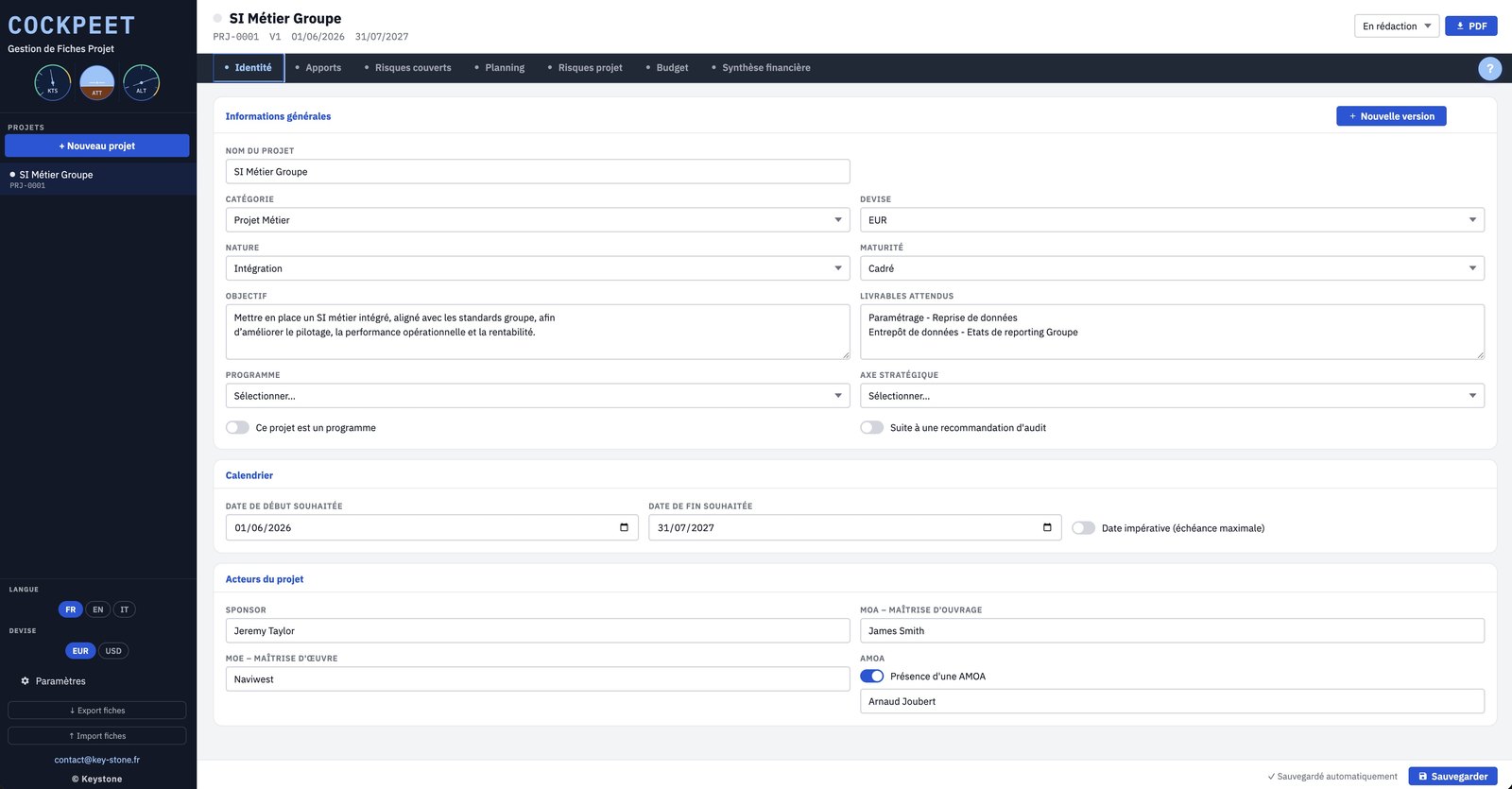
Seven sections, the same for every request: identity, benefits, mitigated risks, schedule, project risks, budget, summary. The requester provides exactly what the decision-makers expect.

  • Category, type, maturity, objective, deliverables
  • Sponsor, business owner, delivery lead, project-office support
  • Automatic project coding
key-stone.fr/cockpeet
Cockpeet, project sheet Identity screen
02 · Benefits

Gains, quantified over ten years

The requester states what the project brings in: revenue, margin, lower overheads. Cockpeet applies the margin rate and keeps only the cash flow relevant to the calculation.

  • Benefits you can switch on one by one
  • Year-by-year valuation
  • Margin applied automatically to revenue
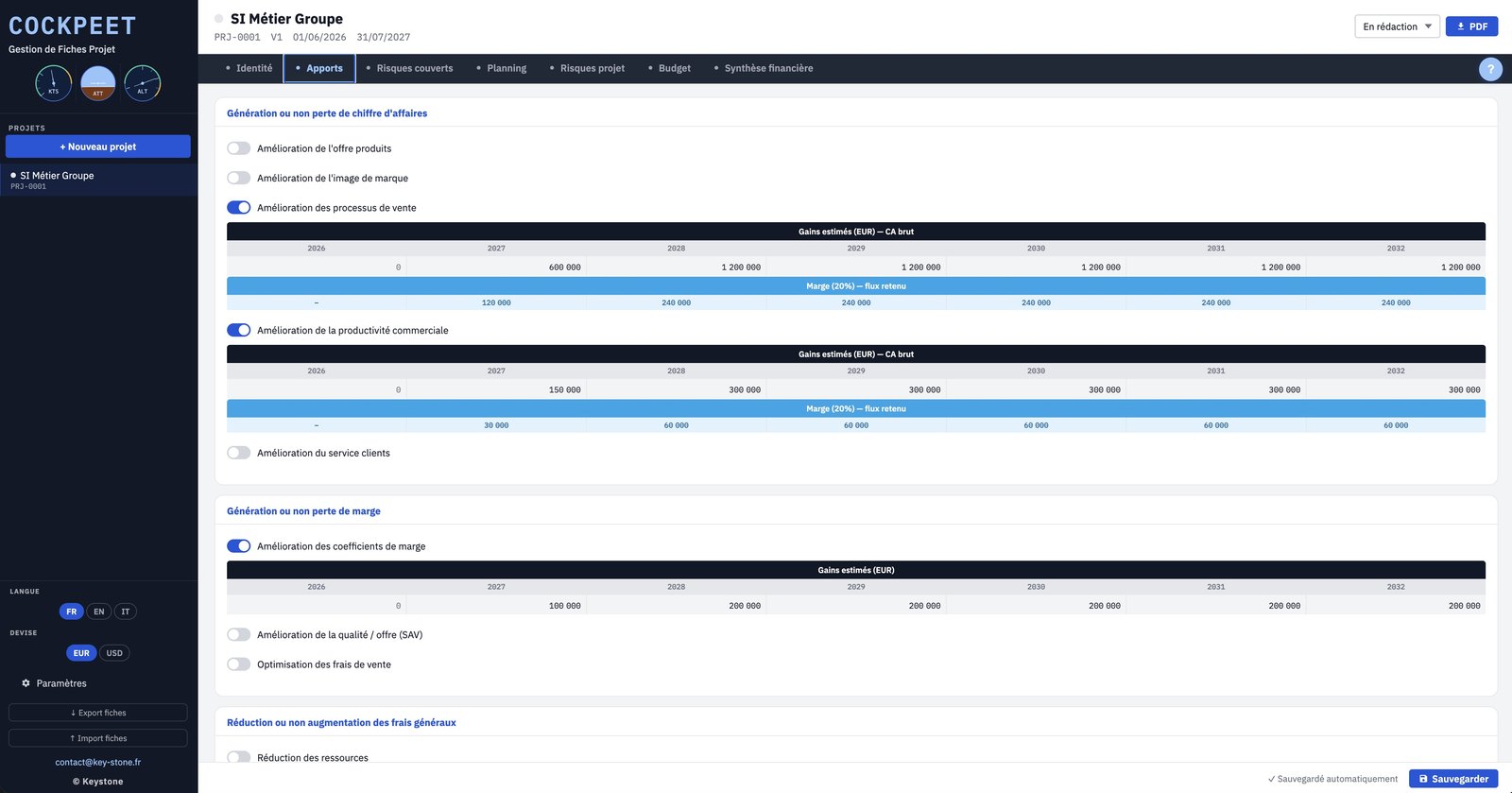
key-stone.fr/cockpeet
Cockpeet, Benefits screen with estimated gains per year
03 · Risks

Risks, assessed

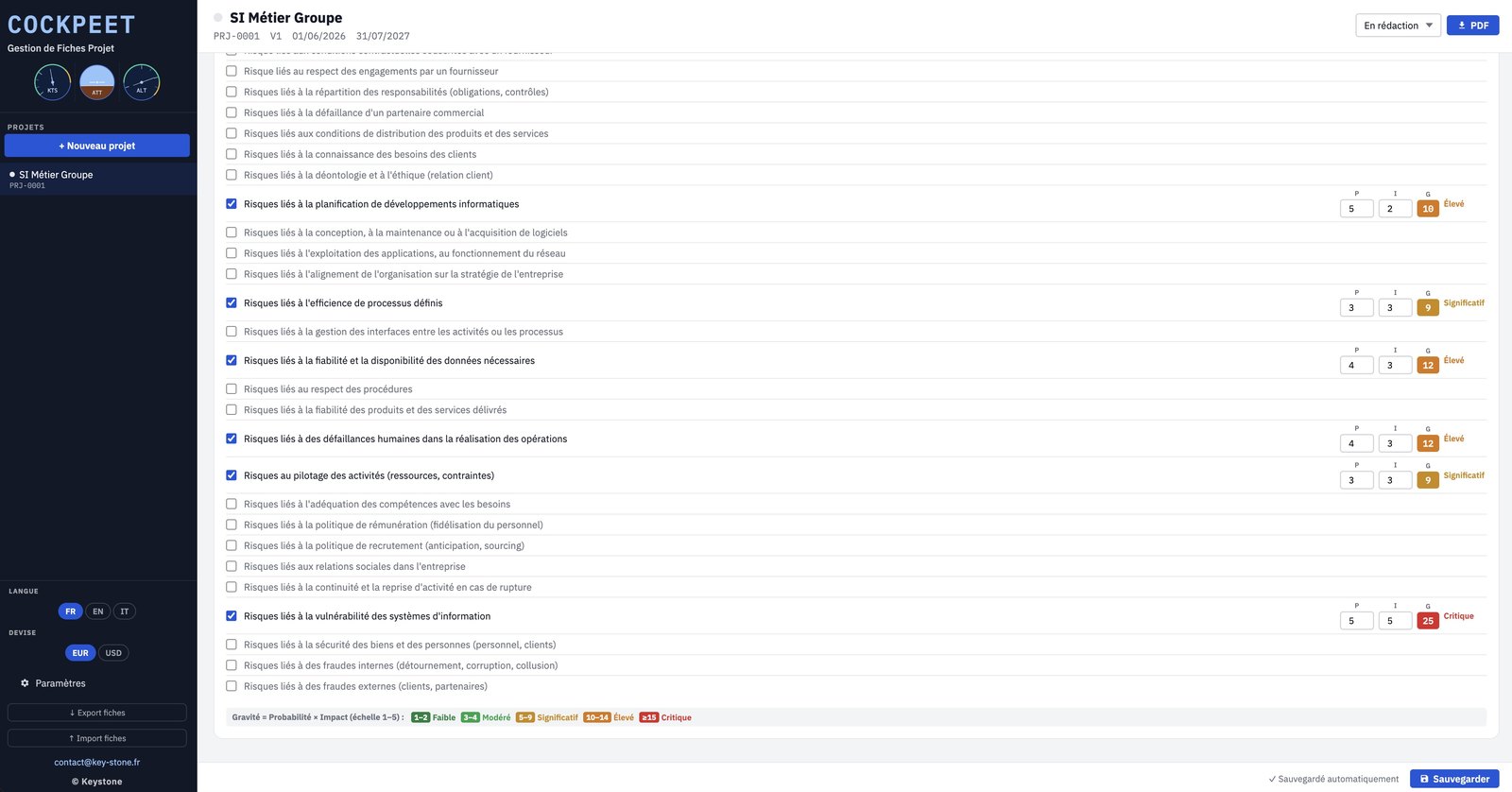
Two separate grids: the risks the project helps reduce, and the risks inherent to the project. Each scored on probability and impact, with a severity that is computed and colour-coded.

  • Probability × impact on a 1-to-5 scale
  • Severity from Low to Critical
  • Automatic sorting by decreasing severity
key-stone.fr/cockpeet
Cockpeet, mitigated risks screen with severity
04 · Schedule

Schedule and milestones

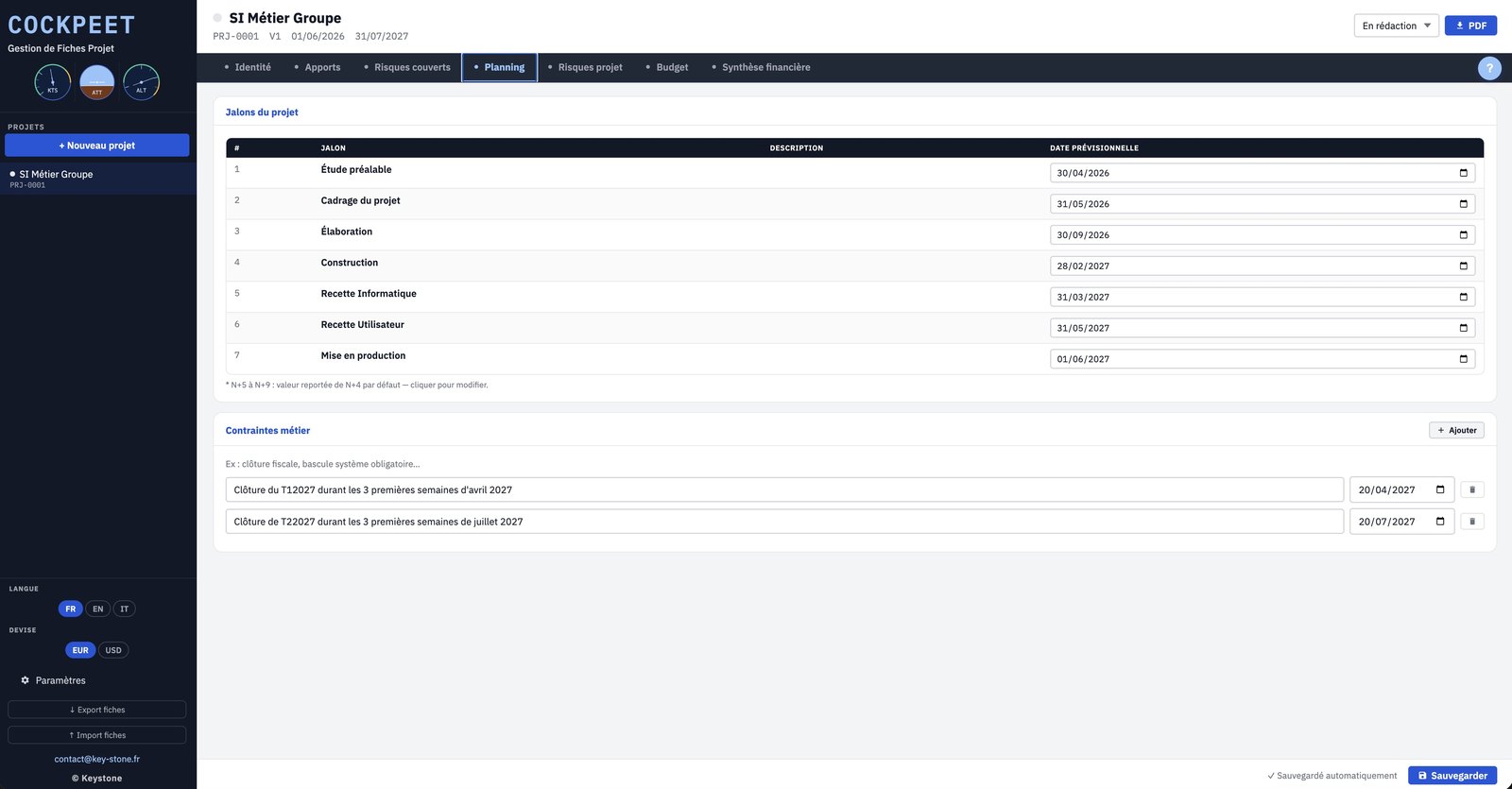
The project's standard milestones, from initial study to go-live, and the business constraints that weigh on the schedule: accounting closes, mandatory system cutovers.

  • Up to seven dated milestones
  • Business constraints with deadlines
  • Start date, end date and maximum deadline
key-stone.fr/cockpeet
Cockpeet, Schedule screen with milestones and constraints
05 · Budget

Budget, business and delivery

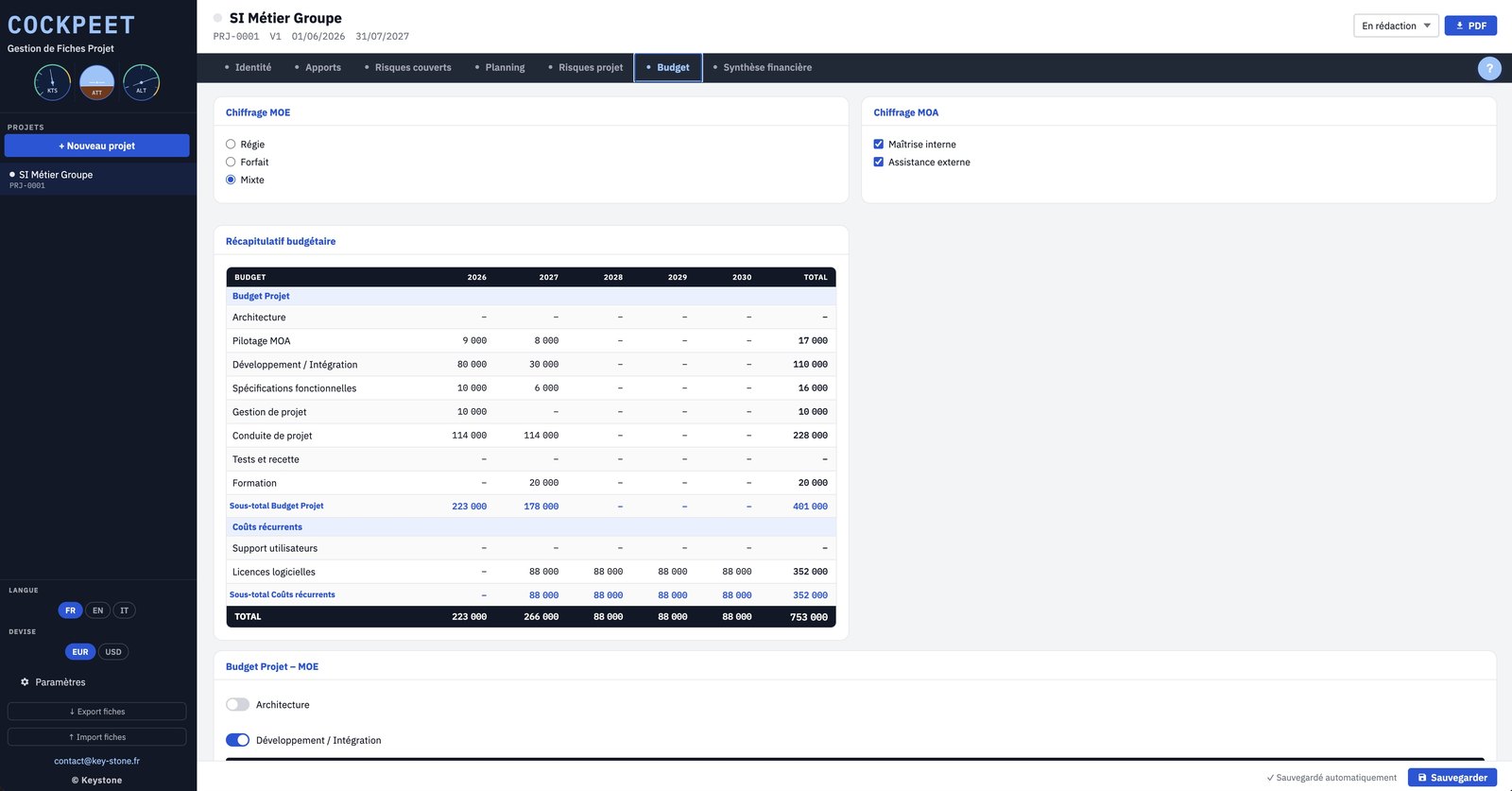
Costing on a time-and-materials, fixed-price or mixed basis, on both the delivery and business sides. Effort in days, daily rates per profile, recurring costs. Cockpeet consolidates everything into a budget summary.

  • Project budget and recurring costs kept separate
  • Daily rate configurable per role
  • Consolidated summary, year by year
key-stone.fr/cockpeet
Cockpeet, Budget screen with summary
06 · Financial summary

The financial case, computed automatically

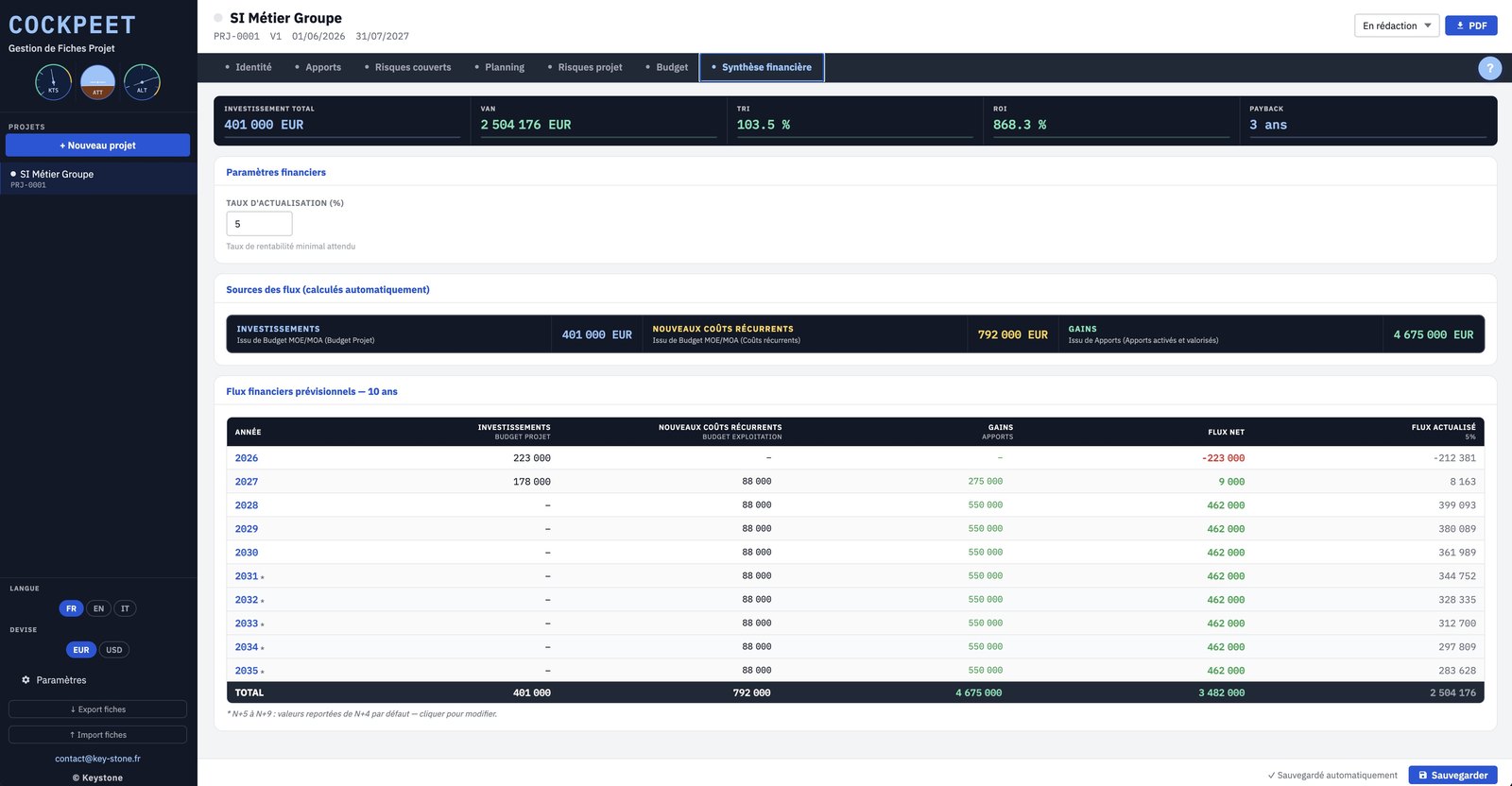
This is where everything comes together. From the benefits and the budget, Cockpeet computes NPV, IRR, ROI and payback over ten years. The cash flow is discounted at the rate you set.

  • NPV, IRR, ROI and payback
  • Forecast and discounted cash flows over ten years
  • Configurable discount rate
key-stone.fr/cockpeet
Cockpeet, Financial summary screen with NPV, IRR, ROI, payback
07 · Output

The full sheet, as a PDF

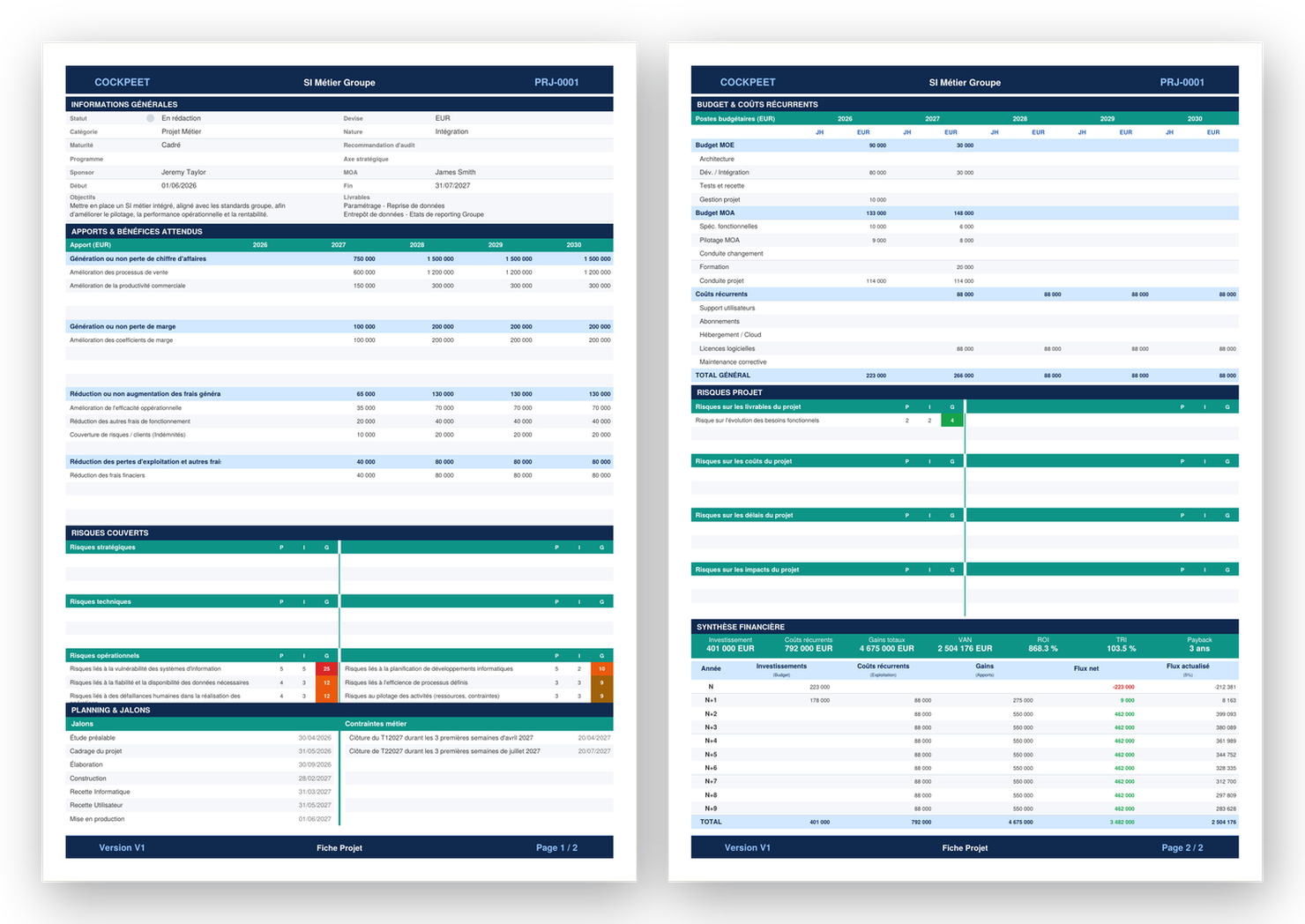
Once the sheet is filled in, Cockpeet exports it as a PDF: general information, benefits, risks, planning, budget and financial case. A clean document, ready to present to the arbitration committee.

  • Every section on two pages
  • Benefits, budget and financial case
  • Layout ready for the committee
Cockpeet — project sheet exported as a PDF
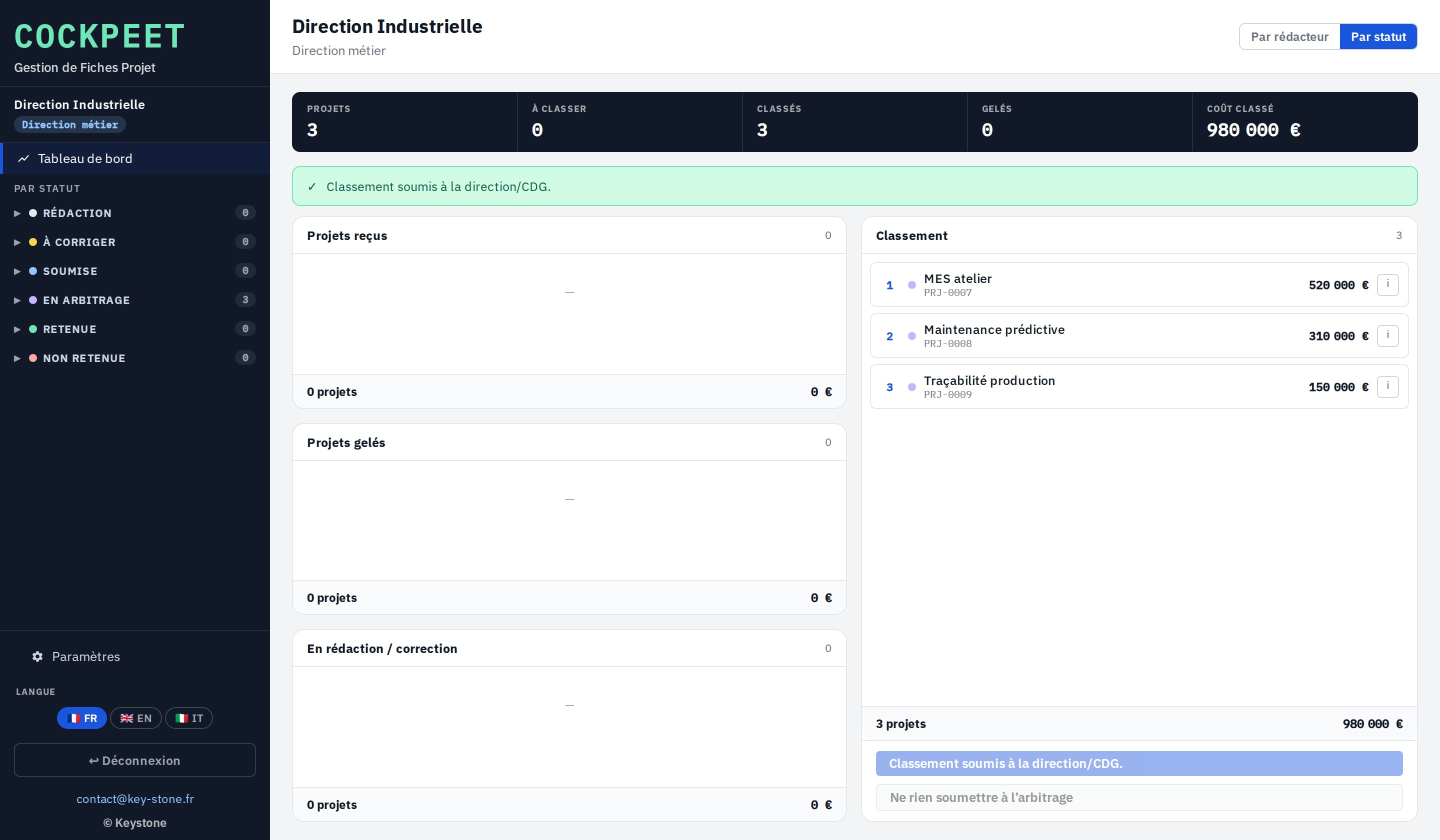
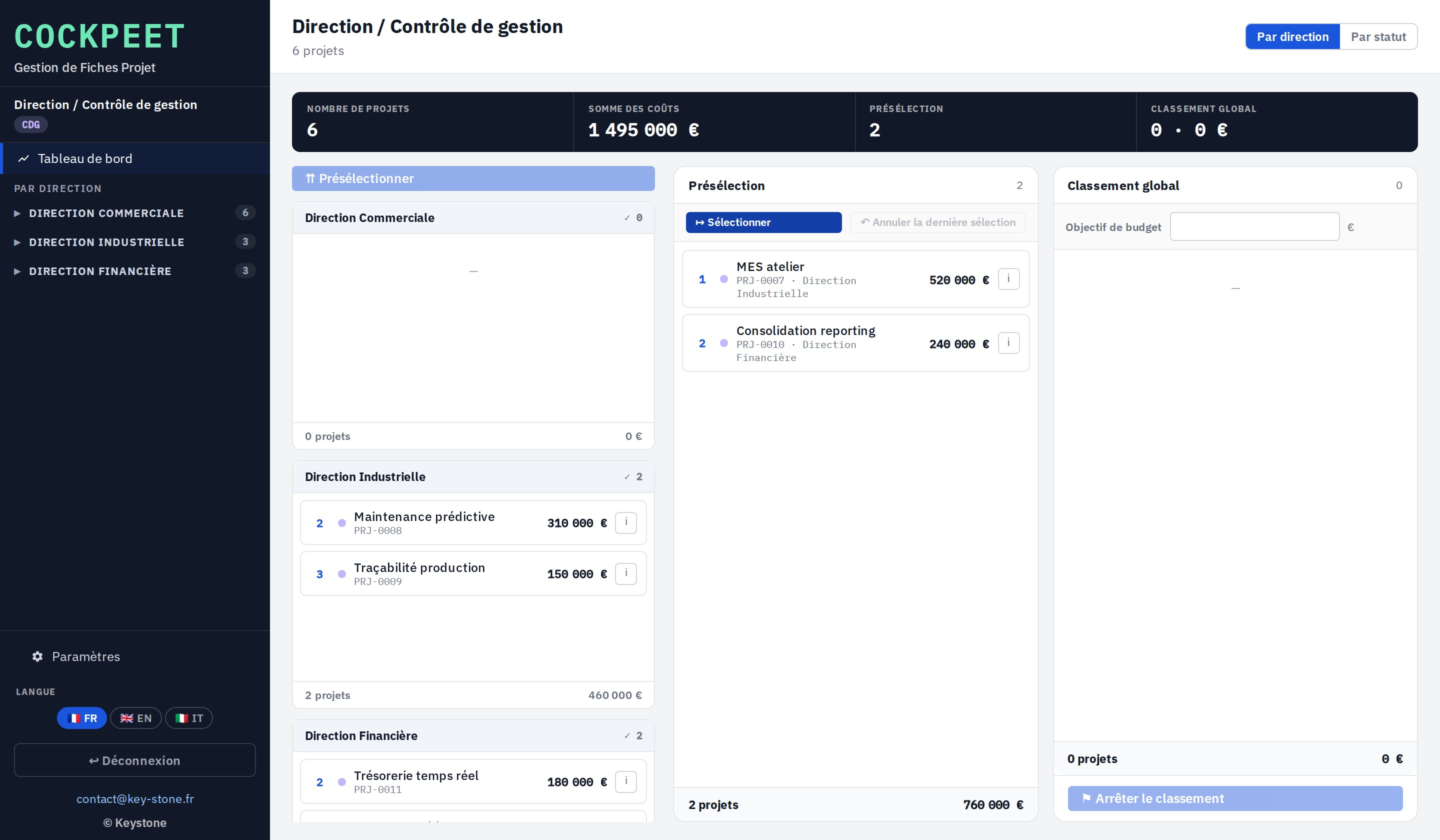
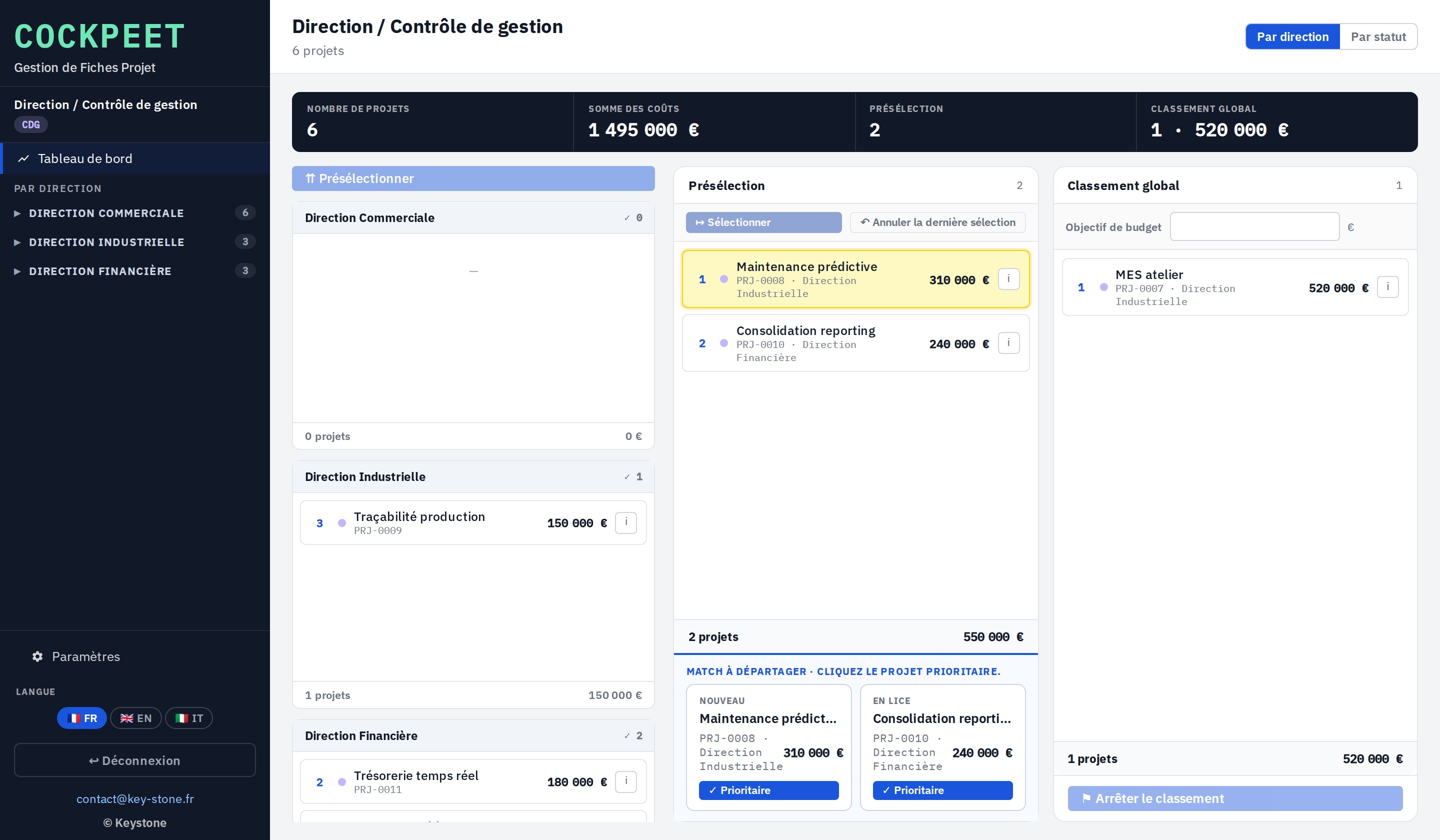
Approval workflow — each sheet moves from Draft to Approved or Rejected.
Multi-currency — euro, dollar and custom currencies, configurable exchange rates.
PDF export — the full sheet, ready to present to a committee.
Sheet sharing — export and import to move a sheet between machines.
03
Highlights

Light, self-contained, yours

Free

Local prototype

Explore the tool and how it works at no cost and no commitment.

No install

In the browser

One file, no software to install, no account to create.

Privacy

Data stays local

Everything stays in your browser. No data is sent to any server.

Languages

Trilingual

Interface in French, English and Italian.

Output

PDF export

The full project sheet, laid out and ready to share.

Computation

Built-in financial case

NPV, IRR, ROI and payback computed automatically.

04
Who it's for

Those who have to choose

Cockpeet is for those who build and defend a project budget, and for those who arbitrate.

IT leadership Finance leadership Management control PMO and project governance Transformation leadership SME leaders
05
Keystone services

The tool is free. Implementation is a service.

Trying Cockpeet locally costs nothing. Putting it truly at the service of your arbitration means adapting it to your context, your processes and your decision-makers. That is where Keystone comes in.

01

Portfolio framing

Define the arbitration method, the scoring criteria and the decision flow.

02

Configuration

Categories, risks, milestones, daily rates and currencies tuned to your context.

03

Building the business cases

Help requesters produce solid, defensible sheets.

04

Training

Make your teams self-sufficient with the tool and the arbitration method.

05

Project governance and PMO

Set up and run portfolio steering over time.

06 · Deployment

Cockpeet on a network

A hosted version where all users work on the same database, with no file exchange. Access rights, centralised data, sovereign hosting if needed.

Email Keystone contact@key-stone.fr
Cockpeet

Try it on a real project.

Open the tool, look at the sample sheet, then replace it with one of your own requests. In ten minutes you have a comparable financial case.